



When most IT administrators think about bulk management tools, they think about user creation. They think about onboarding 100 employees or syncing a new grade level. But there is a second, more “expensive” headache that keeps admins up at night: Licensing.
Managing Google Workspace licenses—assigning the right SKU to the right person while ensuring you aren’t paying for “ghost” seats—is a critical part of the job. Yet, in the native Google Admin Console, it remains one of the most cumbersome tasks.
Laura, an organisation admin, recently shared her relief after moving this workflow into a spreadsheet: “Managing licenses for our organisation used to be such a hassle. But now, with this tool, it’s a breeze!”
Here is why license management in a sheet isn’t just a convenience—it’s a necessity for modern IT teams.
The Cost of “One-by-One” Licensing
In a small domain, managing licenses is easy. But once you hit the “Mid-Market” (50 to 500 users), the complexity spikes. You might have:
- Business Starter for your frontline staff.
- Business Plus for your management team.
- Education Plus for specific faculty members.
In the native Admin UI, checking who has what license requires clicking into individual user profiles or running a manual export and then cross-referencing it. If you need to upgrade 50 users from one SKU to another, you are looking at a repetitive, multi-click process that is prone to human error.
Why AdminSheet Pro makes it a “Breeze”
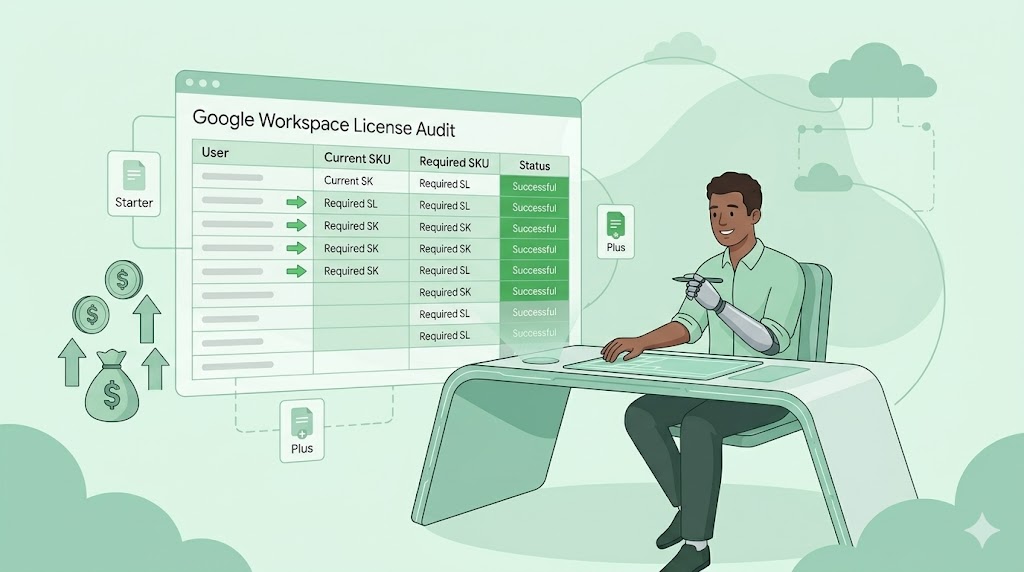
AdminSheet Pro treats licenses like any other piece of data: A row in a spreadsheet. By bringing licensing into the Sheet, we solve the three biggest pain points:
1. The Audit Advantage
Ever wondered if you are paying for licenses that aren’t being used? With AdminSheet Pro, you can export your entire domain’s licensing status into a single sheet. You can immediately sort by “License Type” and identify accounts that should have been downgraded or removed months ago. It’s the fastest way to perform a “SaaS Audit.”
2. Bulk SKU Swapping
Imagine your company just upgraded to a higher Workspace tier. In the Admin UI, that’s a nightmare. In AdminSheet Pro, you simply paste the new SKU ID into the “License” column for the relevant users and hit Run. The script handles the assignments in the background while you move on to more important work.
3. Error-Free Distribution
When assigning licenses manually, it’s easy to accidentally click the wrong box. In a spreadsheet, you can use Data Validation or simple copy-paste to ensure every single user gets exactly the license they need. Our Status Column provides immediate confirmation that the license was successfully provisioned by Google’s servers.
Managing the Budget, Not Just the Users
For the “Accidental Admin” or the IT Director, license management is about more than just access—it’s about budget integrity. By making license management “a breeze,” we allow you to keep your domain lean and your costs optimised.
As Daphne found, you don’t need a complex enterprise suite to manage a complex organisation. You just need a tool that speaks the language of productivity: The Spreadsheet.
Categories: Google Workspace, IT Budgeting, Software Asset Management
Stop overpaying for ghost seats. Take control of your organisation’s licensing today. Install AdminSheet Pro and get 100 free operations to clean up your domain.