

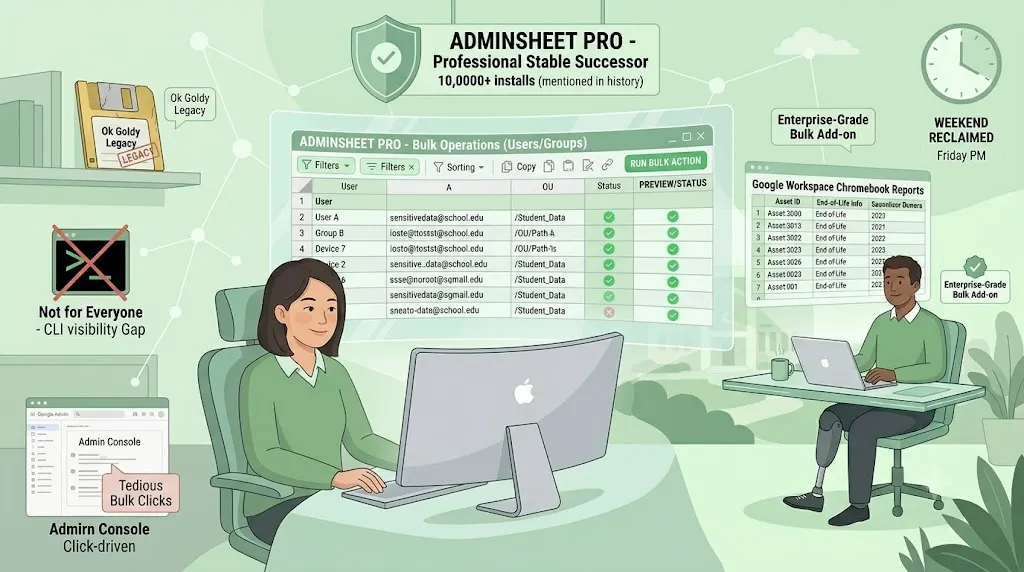


For many Google Workspace administrators, Ok Goldy proved something important: a spreadsheet can be one of the most natural interfaces for bulk admin work.
Before AdminSheet Pro, many admins had already experienced the simplicity of managing users, groups and aliases from inside Google Sheets. Instead of clicking through the Google Admin Console one item at a time, they could work with rows, columns, filters and familiar spreadsheet actions.
That idea mattered.
When Ok Goldy became unreliable or unavailable for many users, it left a real gap. Google Workspace admins who had grown used to spreadsheet-based bulk management suddenly had to choose between returning to slow manual work in the Admin Console or using command-line tools such as GAM.
GAM is powerful. For many experienced admins, it remains an excellent tool. But not every admin wants to use a command-line interface for routine bulk operations. Some admins are supporting schools, non-profits, small businesses, academy trusts or multiple Workspace environments while juggling many other responsibilities. They want something simple, visible and easy to review before action is taken.
That is where the spreadsheet interface still shines.
Why spreadsheets still make sense for admin work
There is a reason Google Sheets remains popular among IT teams.
Spreadsheets are familiar. They are easy to scan. They make it simple to sort, filter, copy, paste, review and export data. Most admins already know how to work with them without needing formal training.
For bulk admin tasks, this matters a lot.
If you are creating aliases, updating user information, reviewing group membership, or preparing a report for management, you often want to see everything in one place before making changes. A spreadsheet gives you that visibility.
The rows become your users, groups or devices.
The columns become the details you need to review.
The filters help you spot patterns.
The sheet itself becomes a working space where you can prepare, check and act.
This is why many admins still like the “spreadsheet-as-interface” approach. It does not try to replace the Google Admin Console completely. It simply gives admins a more practical way to handle repetitive work.
The problem with bulk work in the Admin Console
The Google Admin Console is excellent for many day-to-day tasks, but bulk work can still become tedious.
If you need to update one user, the Admin Console is fine.
If you need to review, create, update or clean up hundreds of users, groups, aliases or memberships, the experience changes quickly.
Repetitive clicking becomes tiring.
Manual copying becomes risky.
Small mistakes become easier to make.
And checking work across many accounts becomes harder than it should be.
That is why admins often look for alternatives.
Some turn to GAM. Others build scripts. Others use exports and imports. And some, especially those who loved Ok Goldy, look for a sheet-based tool that allows them to keep working in a familiar environment.
AdminSheet Pro was built for that last group.
Why we built AdminSheet Pro
We originally built AdminSheet Pro as an internal tool for our own team in 2024 when Ok Goldy, one of the first true sheet-based bulk managers for Google Workspace, became unreliable for our workflow.
We were big fans of Goldy’s spreadsheet-as-interface approach. It made sense. It respected the way many admins already think and work.
So instead of trying to reinvent everything, we decided to build a spiritual successor: a Google Sheets add-on that keeps the simplicity of the spreadsheet interface while helping admins perform useful bulk Google Workspace operations more safely and efficiently.
AdminSheet Pro started with the basics: users, groups, aliases and related bulk operations.
The goal was not to create a complicated enterprise dashboard. The goal was to make common admin work easier for the people who already live in spreadsheets.
Why not just use GAM?
This is an important question.
GAM is a powerful tool, and we respect it. Many advanced Google Workspace admins use it every day, and for the right person, it is extremely effective.
But the reality is that not every admin is comfortable with command-line tools. Some people do not want to memorise commands. Some are worried about making a mistake that affects hundreds of users. Some work in environments where a spreadsheet is easier to review, share internally, or document.
The issue is not that one approach is right and the other is wrong.
The issue is that different admins need different workflows.
For some, the command line is perfect.
For others, a spreadsheet is the safer and more comfortable place to work.
AdminSheet Pro exists for admins who want that spreadsheet-based workflow.
Why visibility matters before action
One of the biggest advantages of using a spreadsheet interface is visibility.
Before running a bulk operation, you can review the data. You can filter by domain, OU, group, status or any other available field. You can spot empty values. You can check whether the right accounts are included. You can remove accounts that should not be touched.
This matters because bulk admin work can be high-risk.
Changing one wrong user is inconvenient.
Changing one hundred wrong users is a problem.
That is especially useful for school IT teams, MSPs, Google Partners, non-profits and organisations managing multiple Workspace environments. These teams often need both speed and caution. They want to move faster, but they also need to see clearly what they are doing.
Reports belong naturally in Sheets
Another thing we are learning from early users is that Google Workspace admins do not only need bulk actions. They also need reporting.
This has come through clearly from conversations with school and academy trust IT admins. They want to generate reports that can be shared with leadership or used for internal planning.
Examples include:
- 2-Step Verification status
- User security posture
- Chromebook estate information
- Organisational Unit paths
- Device age and end-of-life information
- Annotated users, locations and asset IDs
- Group and alias information
- Data that can support audits or management reports
This is another reason the spreadsheet interface makes sense.
Reports often end up in spreadsheets anyway. So if the admin work starts in Google Sheets, the reporting layer becomes easier to build around it.
Based on user feedback, we have already included 2-Step Verification reporting in our upcoming Version 2 work. Our Version 3 roadmap will focus more heavily on Chromebook-related reporting and management.
That feedback did not come from theory. It came from real admins explaining what they need in their daily work.
The return of the spreadsheet admin tool
When people describe AdminSheet Pro as an Ok Goldy alternative, we understand why.
Ok Goldy showed that Google Workspace bulk admin work could feel simpler inside a spreadsheet. AdminSheet Pro is our attempt to keep that idea alive and move it forward.
We are not trying to pretend that every admin should use the same tool. We are not trying to replace every advanced workflow. And we are not claiming that spreadsheet-based administration is the answer to every problem.
But we do believe this:
Many Google Workspace admins still want a tool that is simple, visible, familiar and practical.
They want to manage bulk tasks without unnecessary complexity.
They want to review data before acting.
They want to work in an interface they already understand.
They want reporting that can be shared, filtered and exported.
They want a bridge between manual Admin Console work and advanced command-line administration.
That bridge is where AdminSheet Pro sits.
What we are learning from early users
Our early users are teaching us a lot.
Some found us while searching for an Ok Goldy replacement. Some came through Reddit. Some found us through Google or AI-assisted search. Some were simply looking for a way to administer Google Workspace through Sheets without using GAM.
Their feedback has been consistent: the spreadsheet interface still feels natural.
They want more operations.
They want stronger reporting.
They want better visibility.
They want simple ways to handle routine admin tasks.
They want tools that save time without making them feel out of control.
That is shaping how we build the next versions of AdminSheet Pro.
Keeping the simplicity alive
The lesson from Ok Goldy was not just that admins need bulk tools.
The bigger lesson was that interface matters.
A tool can be powerful and still feel approachable. A workflow can save time without requiring every admin to become a command-line expert. A spreadsheet can be more than a place to store data; it can be a practical working interface for real administration.
That is the idea behind AdminSheet Pro.
We built it because we needed it ourselves. We kept building it because other admins recognised the same need. And we are improving it because the people using it are helping us understand what the next version should become.
From Ok Goldy to AdminSheet Pro, one thing is clear:
Google Workspace admins still love the spreadsheet interface because it works the way many of them already think.
And sometimes, the most useful admin tool is not the most complex one.
Sometimes, it is the one that lets you open a sheet, review the rows, trust the columns, and get the work done.