
Google™ keeps records of deleted users for 20 days. AdminSheet Pro allows you to export this specific list into a spreadsheet, making it easy to identify accounts that can still be restored.
Step 1: Access the Tool
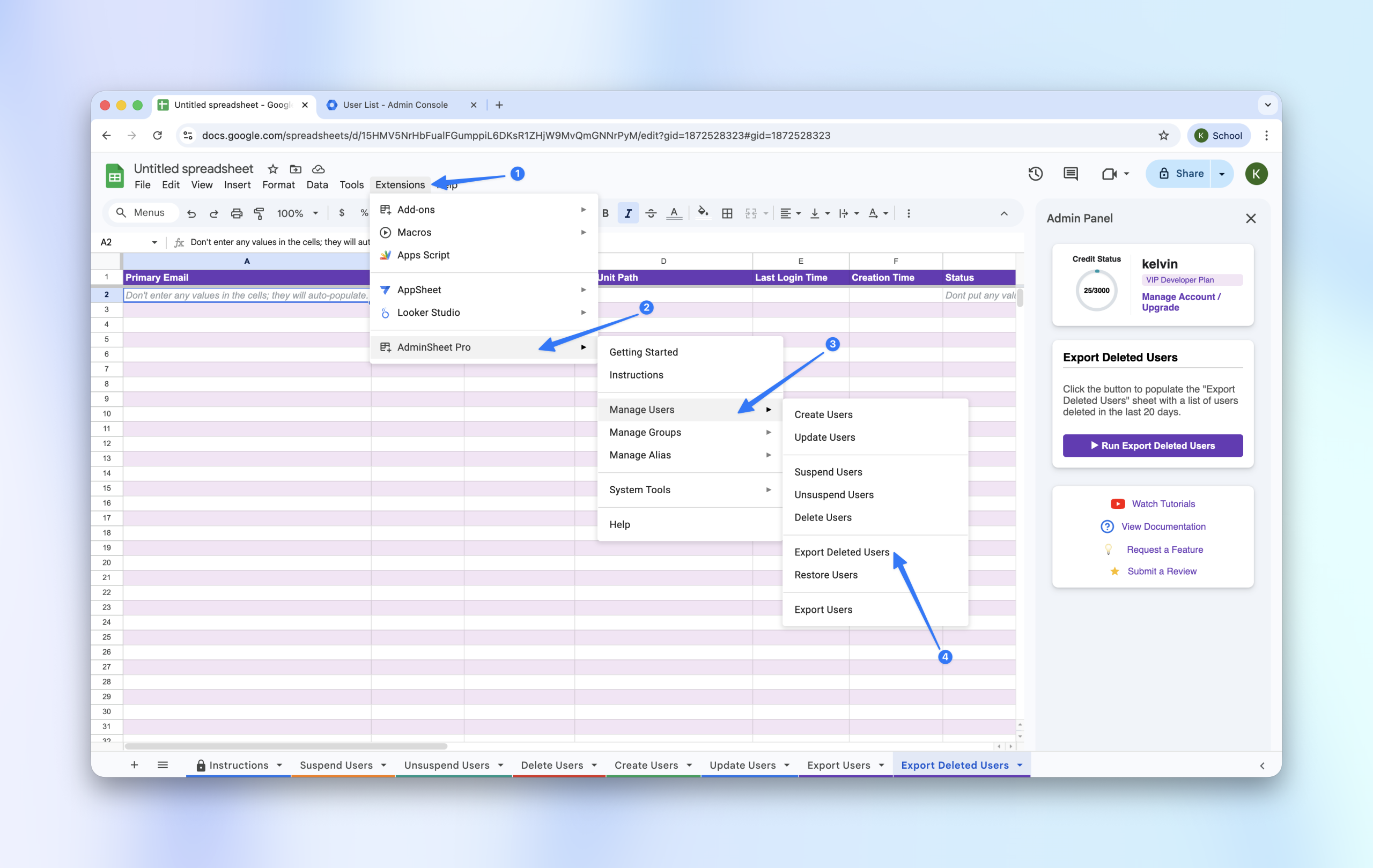
- In Google Sheets™, navigate to Extensions > AdminSheet Pro > Manage Users.
- Click on Export Deleted Users.
Step 2: Initiate the Export
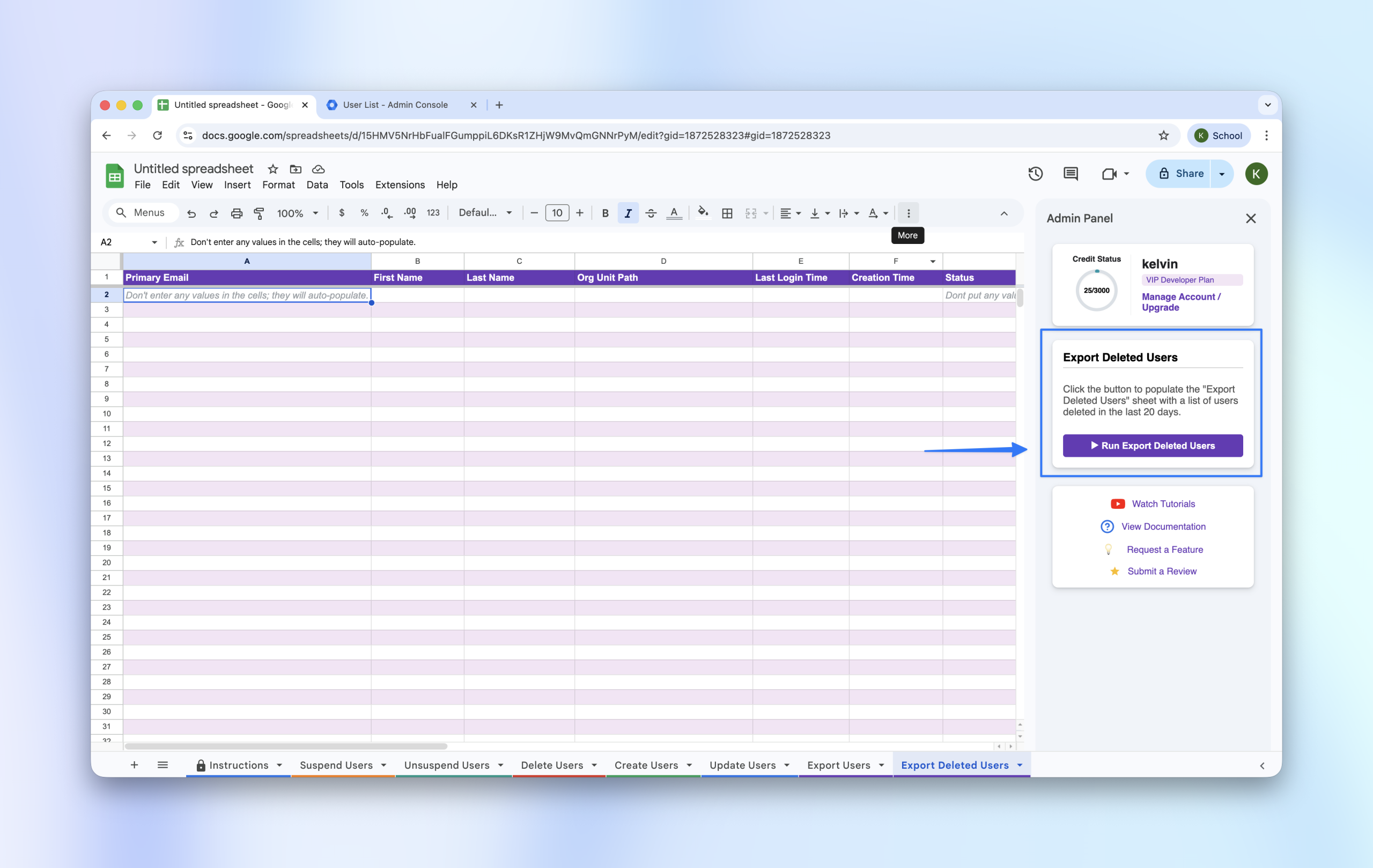
The “Export Deleted Users” function is a one-click process that requires no pre-filled data.
- Locate the sidebar.
- Click the “Run Export Deleted Users” button.
Step 3: The Results
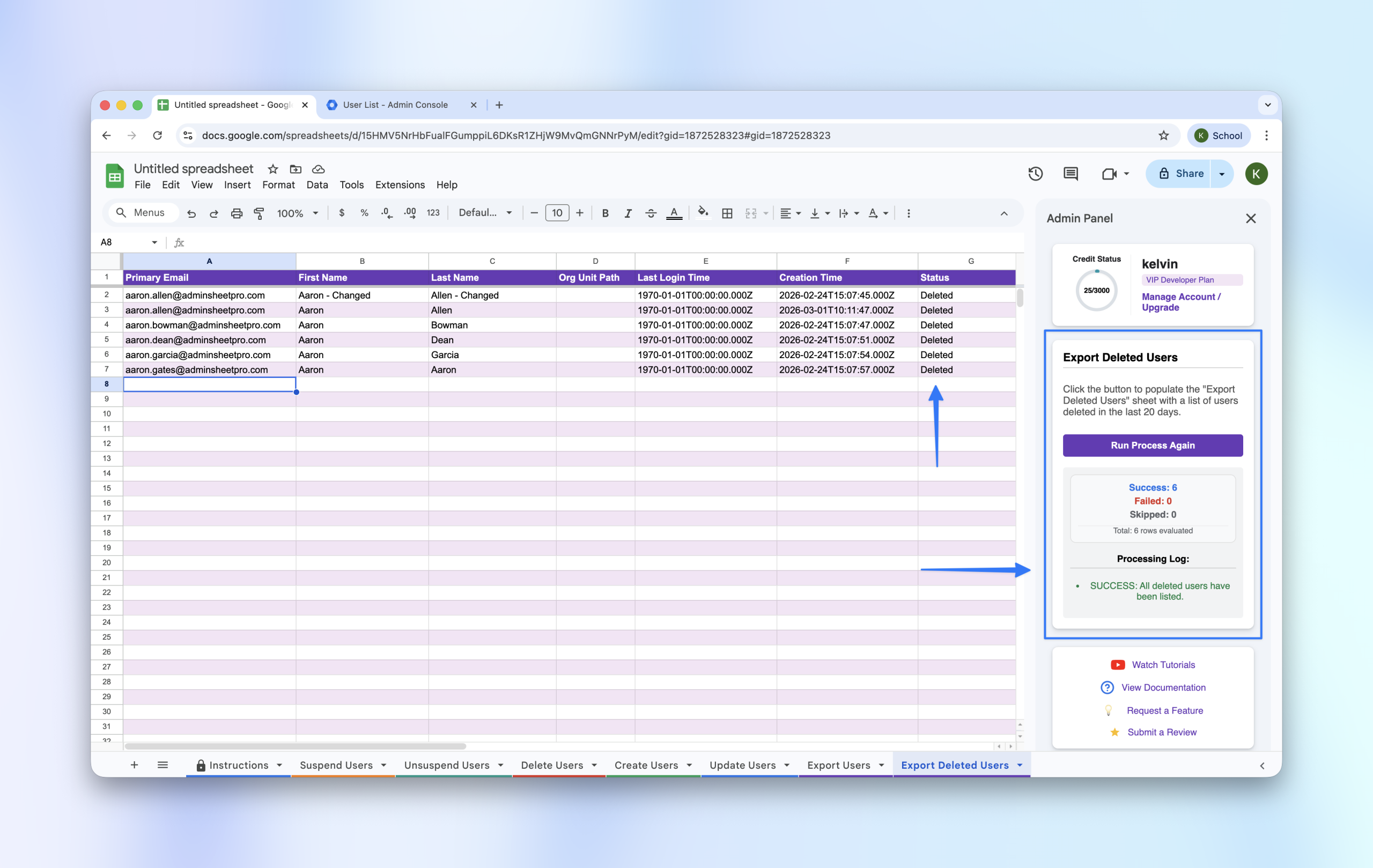
The generated sheet will provide a list of all users deleted within the last 20 days, including:
- Primary Email Address
- Original First and Last Name
- Previous Organizational Unit
- Original Creation Date
- Deletion Status
This list is particularly useful if you intend to perform a Bulk Restore (see our Restore Users guide).