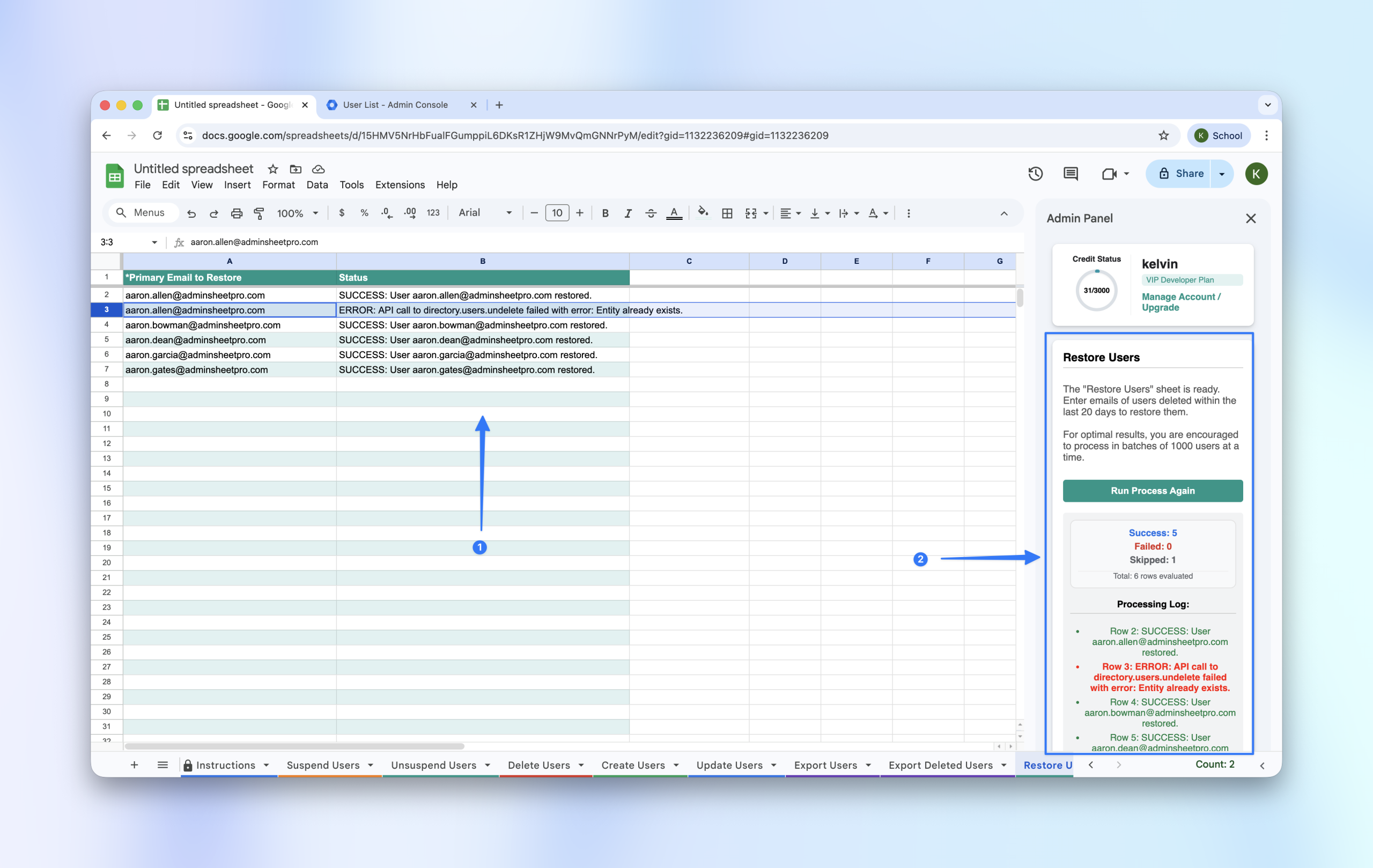
If users were deleted by mistake or need to be reactivated, you can restore them in bulk—provided the deletion occurred within the last 20 days.
Step 1: Identify the Deleted Users
First, you need the email addresses of the users you wish to restore.
- Pro Tip: Use the Export Deleted Users function first to get an accurate list of accounts currently in the 20-day “grace period.”
Step 2: Open the Restore Tool
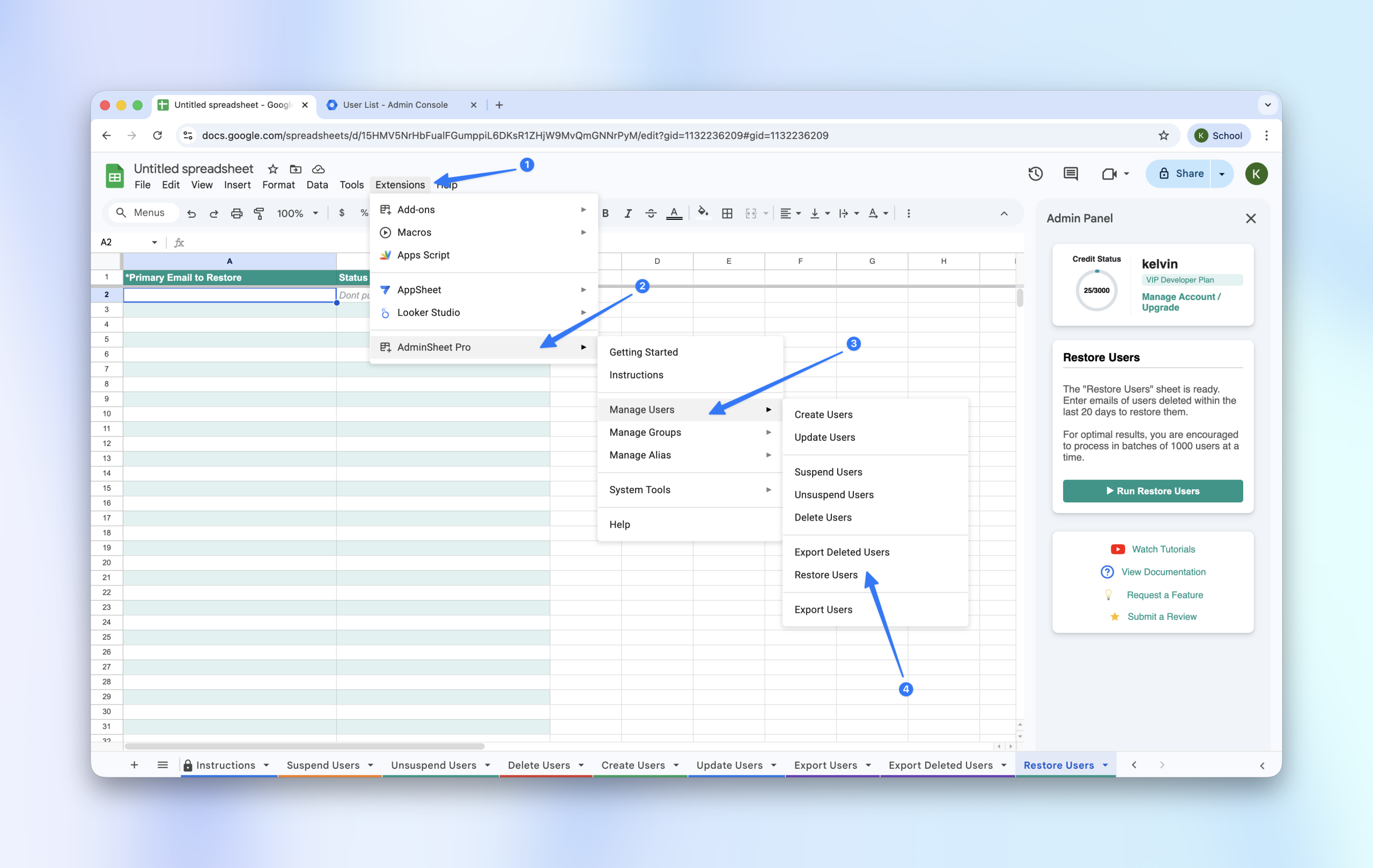
- Navigate to Extensions > AdminSheet Pro > Manage Users.
- Click on Restore Users.
Step 3: Populate and Run
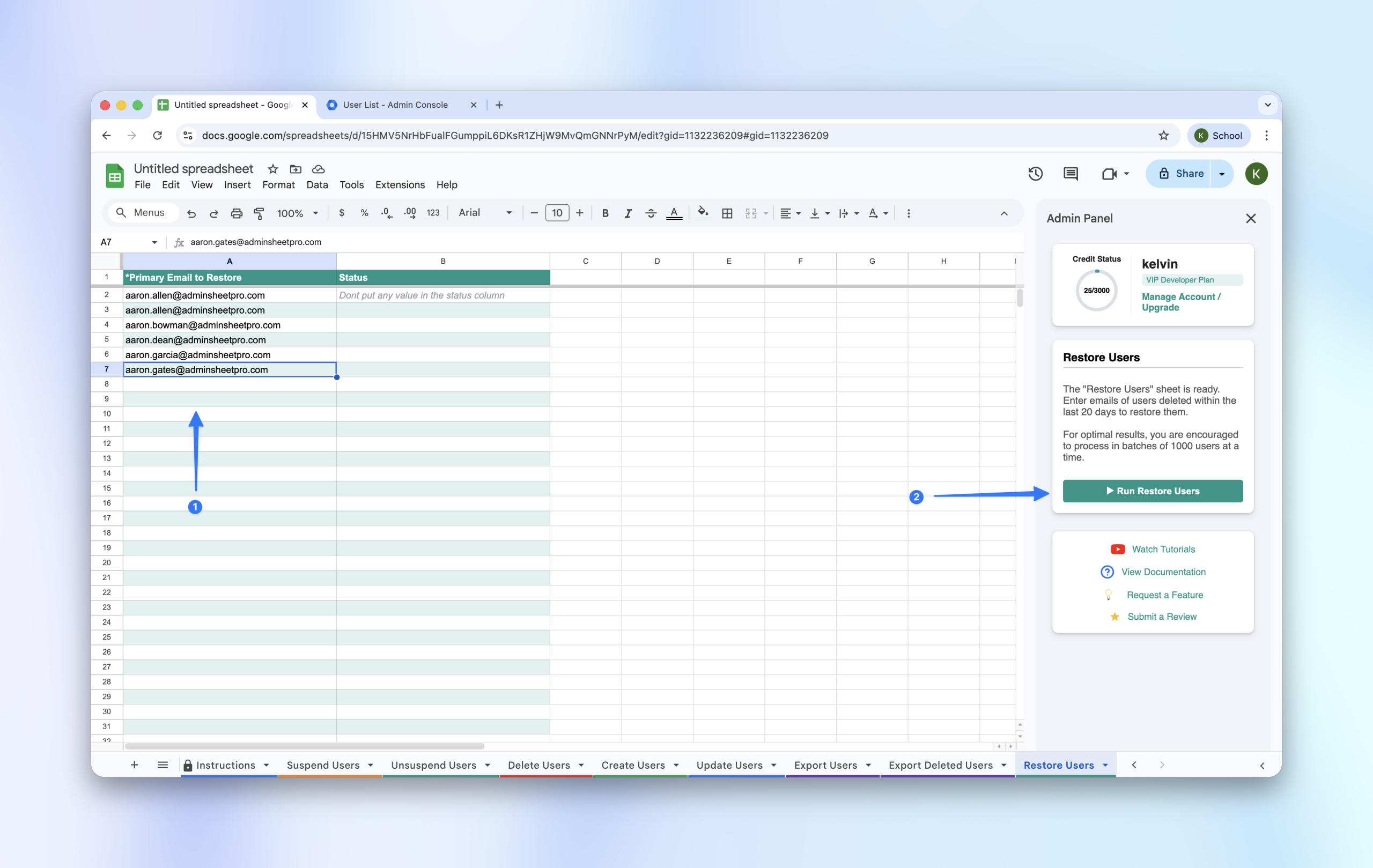
- Copy the primary email addresses of the users you want to restore.
- Paste them into the Primary Email (*) column in the “Restore Users” sheet.
- Click the “Run Restore Users” button in the sidebar.
Step 4: Verify in Admin Console
Once the status column shows SUCCESS, go to your Google™ Admin Console and filter by “Recently Deleted.” You will see that the restored users have moved back into your active user directory.