If users were deleted by mistake or need to be reactivated, you can restore them in bulk—provided the deletion occurred within the last 20 days.
Step 1: Identify the Deleted Users
First, you need the email addresses of the users you wish to restore.
- Pro Tip: Use the Export Deleted Users function first to get an accurate list of accounts currently in the 20-day “grace period.”
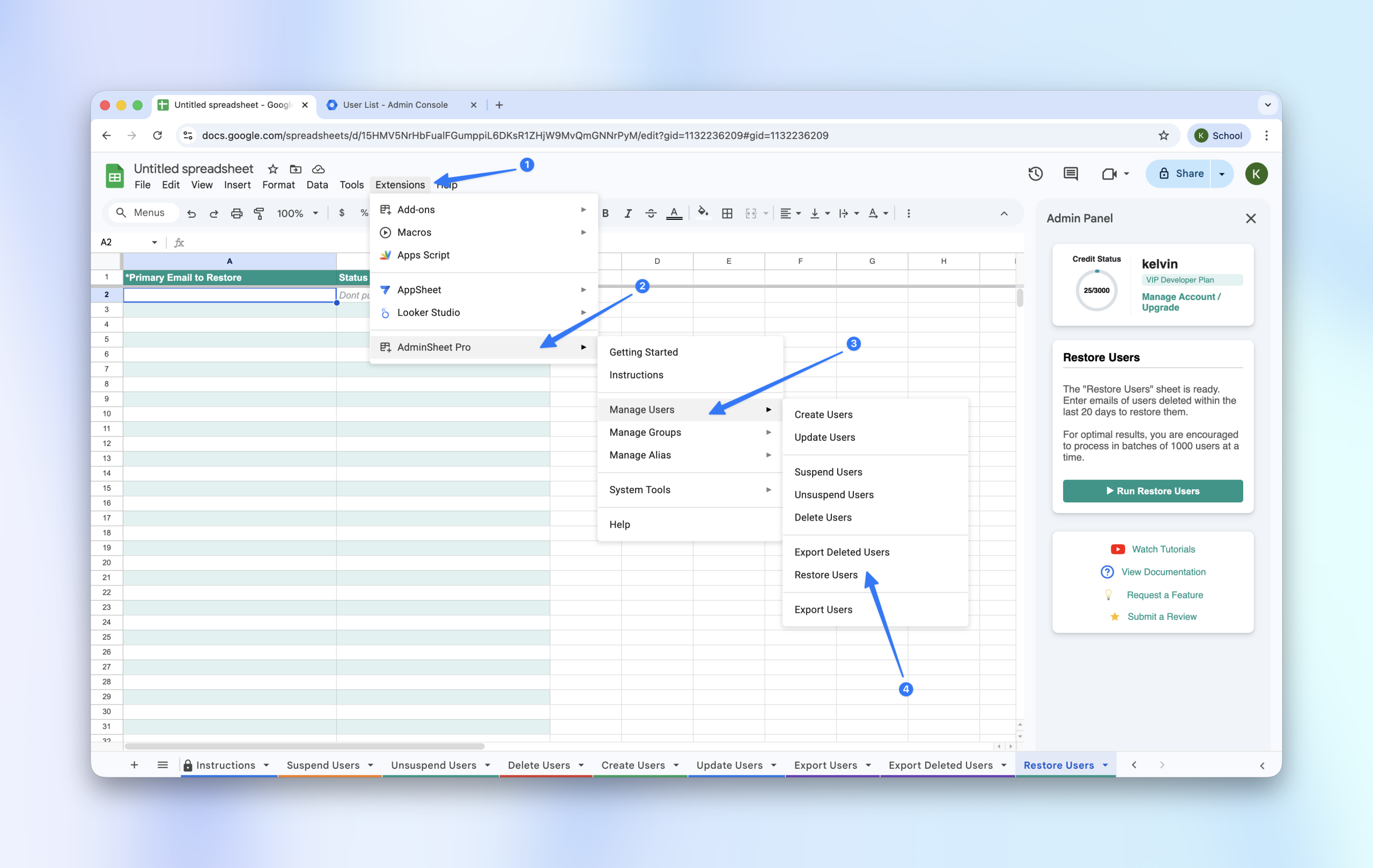
Step 2: Open the Restore Tool
- Navigate to Extensions > AdminSheet Pro > Manage Users.
- Click on Restore Users.
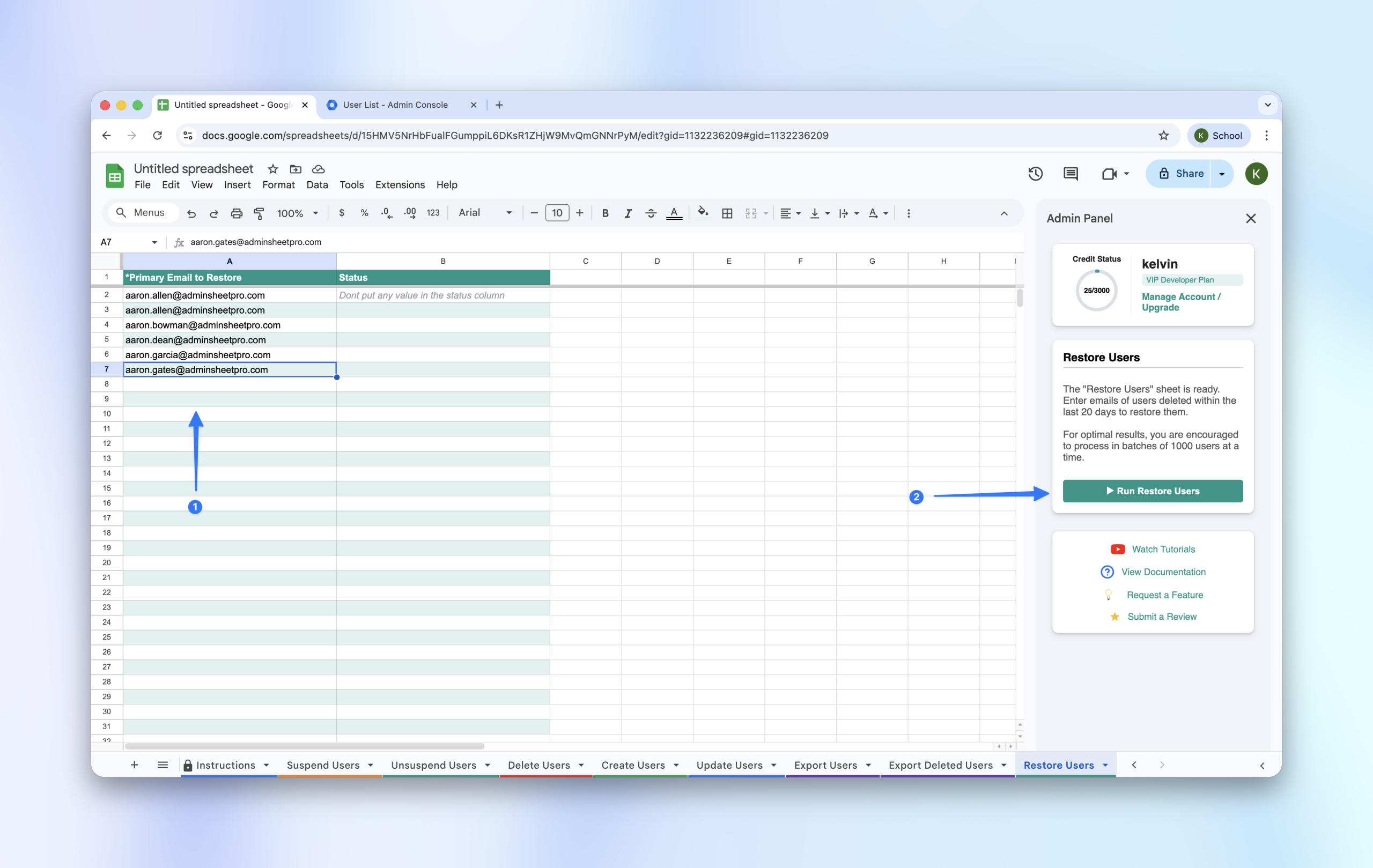
Step 3: Populate and Run
- Copy the primary email addresses of the users you want to restore.
- Paste them into the Primary Email (*) column in the “Restore Users” sheet.
- Click the “Run Restore Users” button in the sidebar.
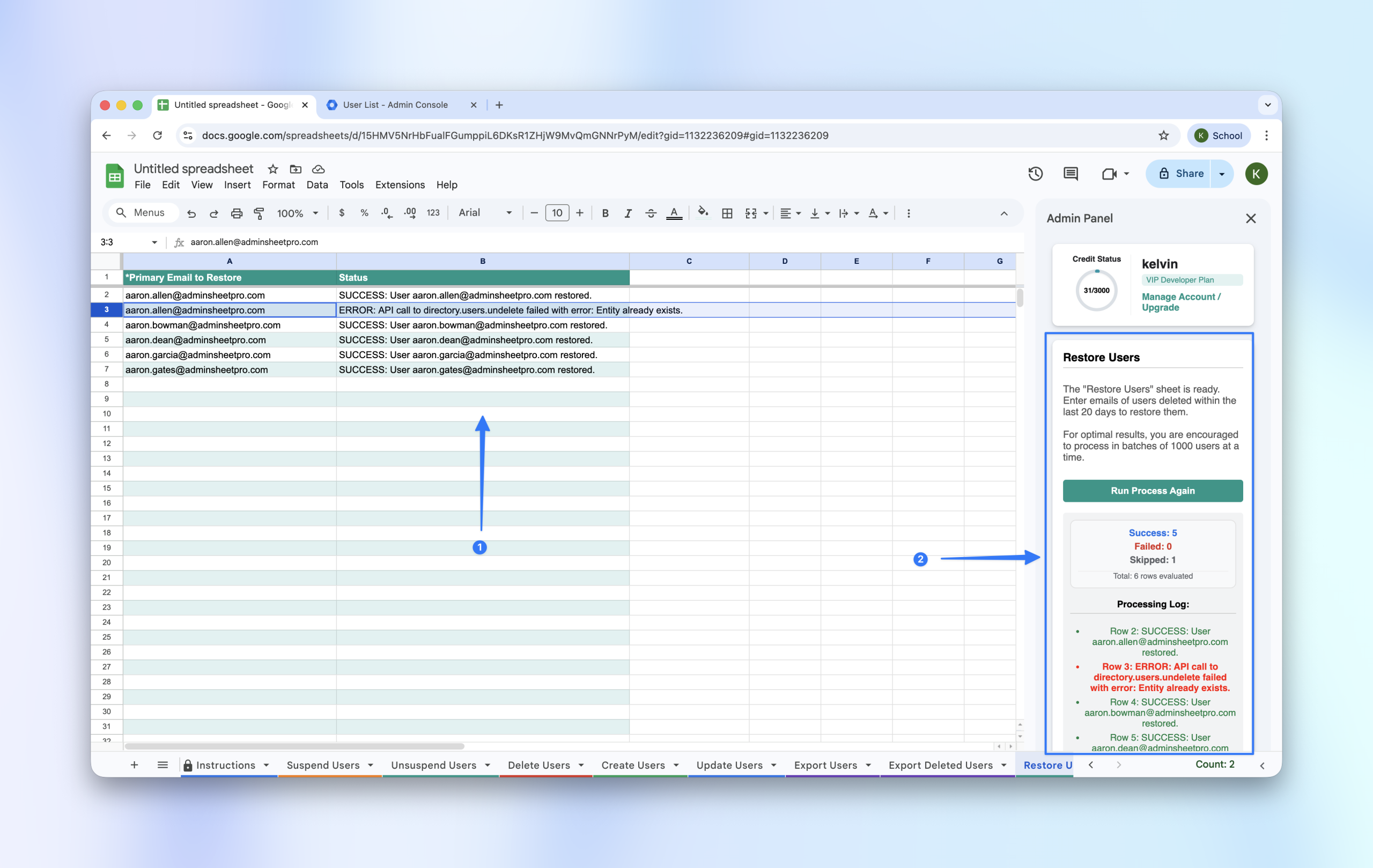
Step 4: Verify in Admin Console
Once the status column shows SUCCESS, go to your Google Admin Console and filter by “Recently Deleted.” You will see that the restored users have moved back into your active user directory.