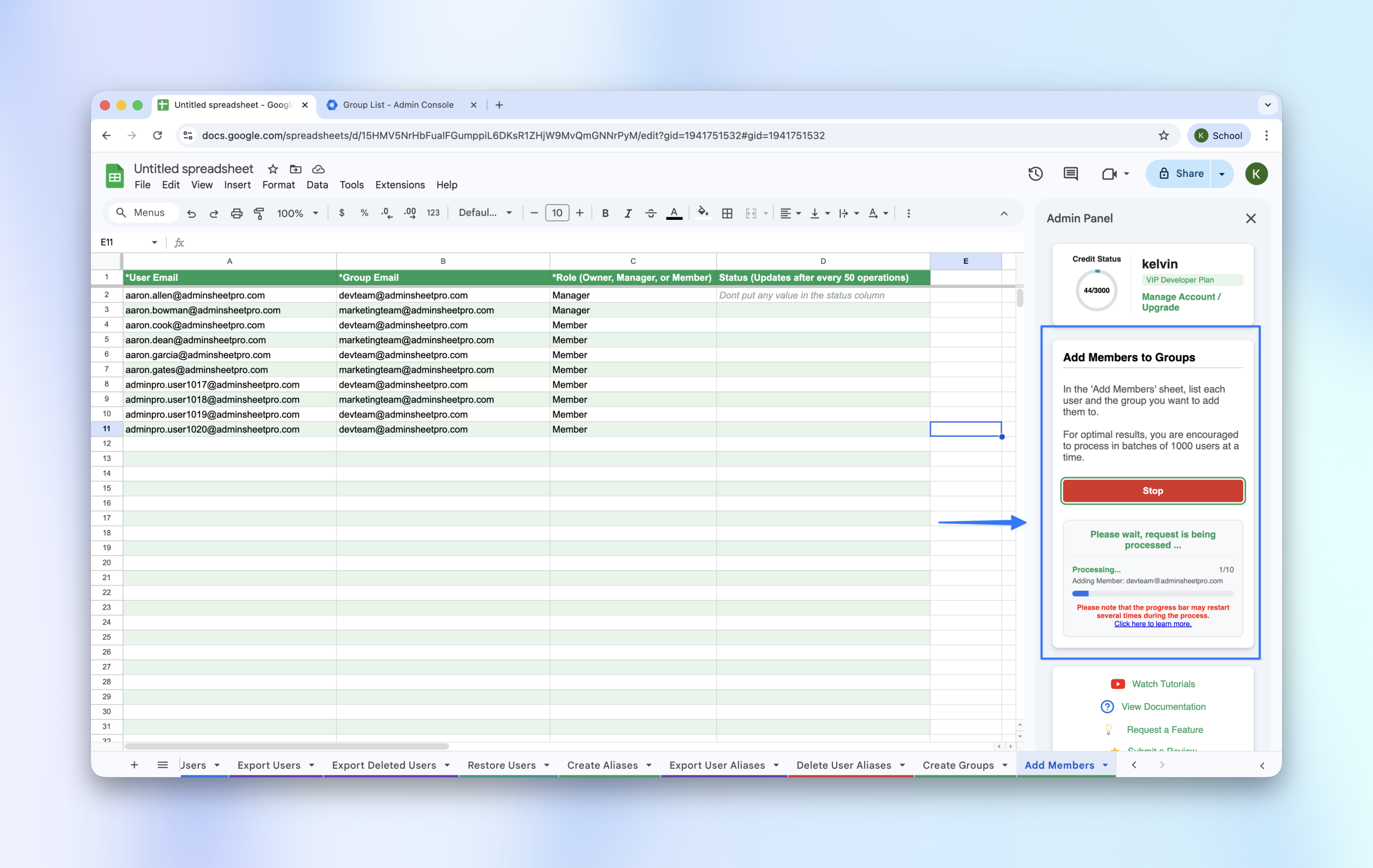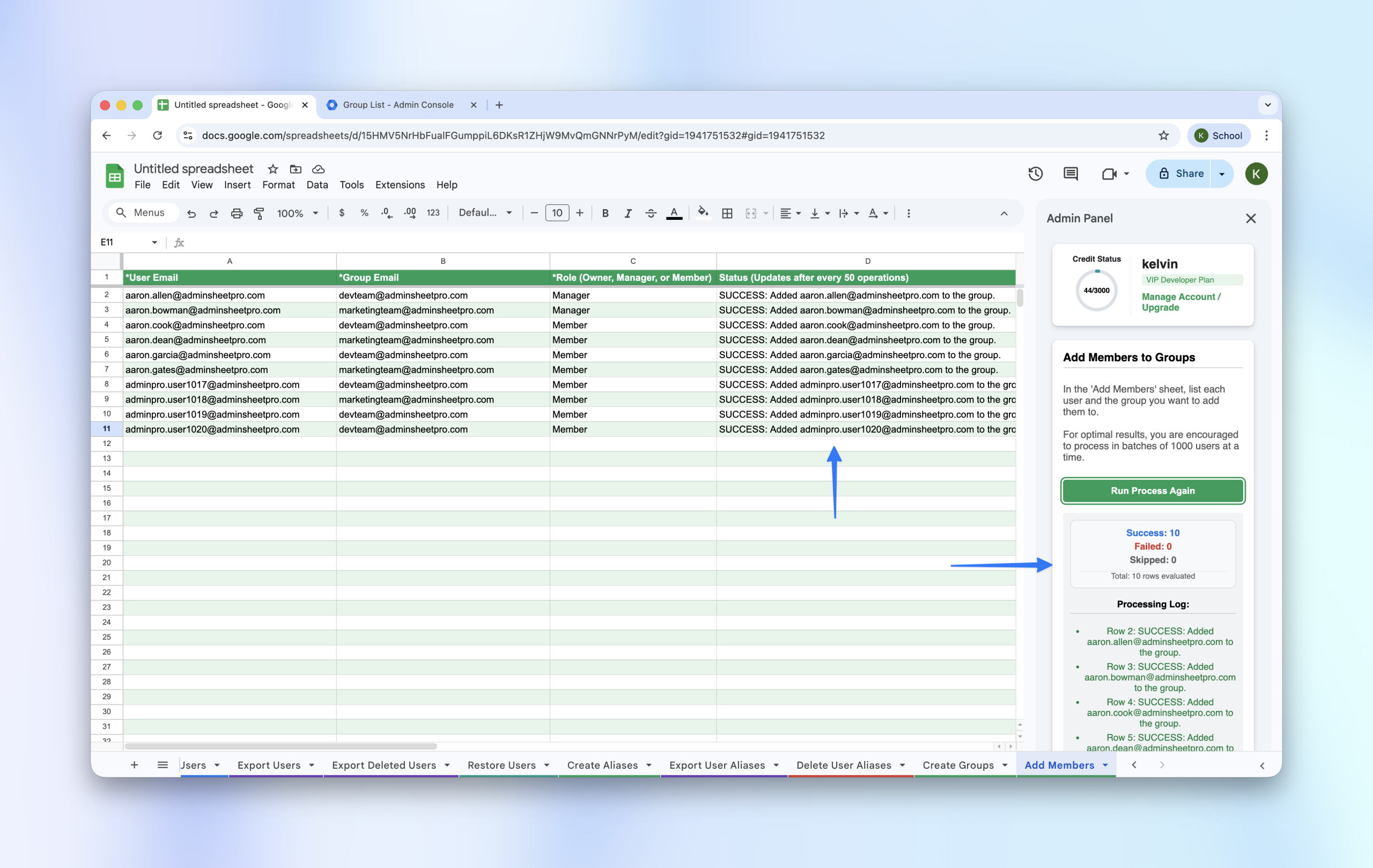
Onboarding users into the correct groups is a vital task for any admin. Use AdminSheet Pro to map users to their respective groups in bulk.
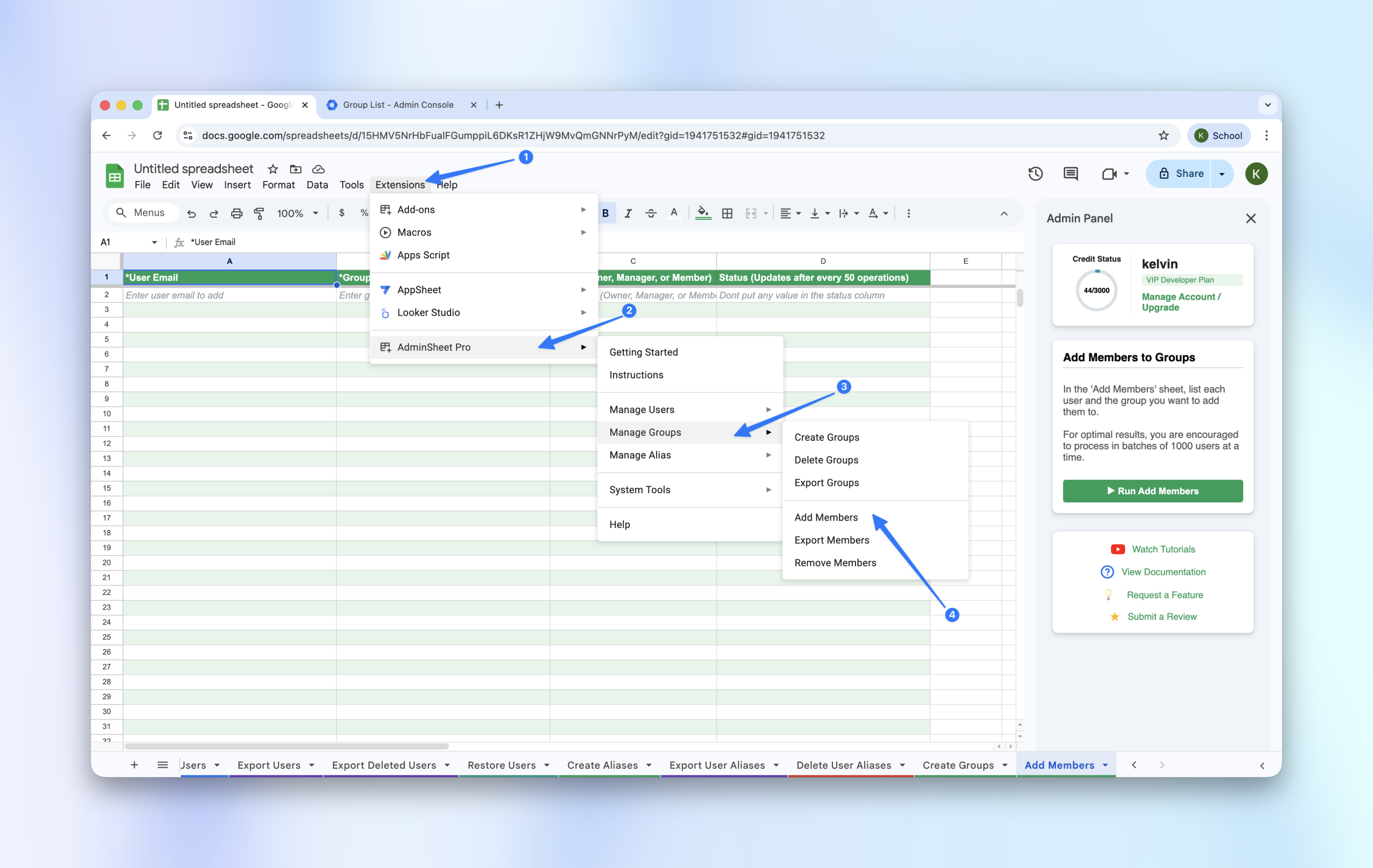
Step 1: Open the Add Members Tool
- Go to Extensions > AdminSheet Pro > Manage Groups.
- Click on Add Members.
Step 2: Populate Member Data
- User Email (*): The email of the person being added.
- Group Email (*): The destination group email.
- Role (*): Choose between
OWNER,MANAGER, orMEMBER.
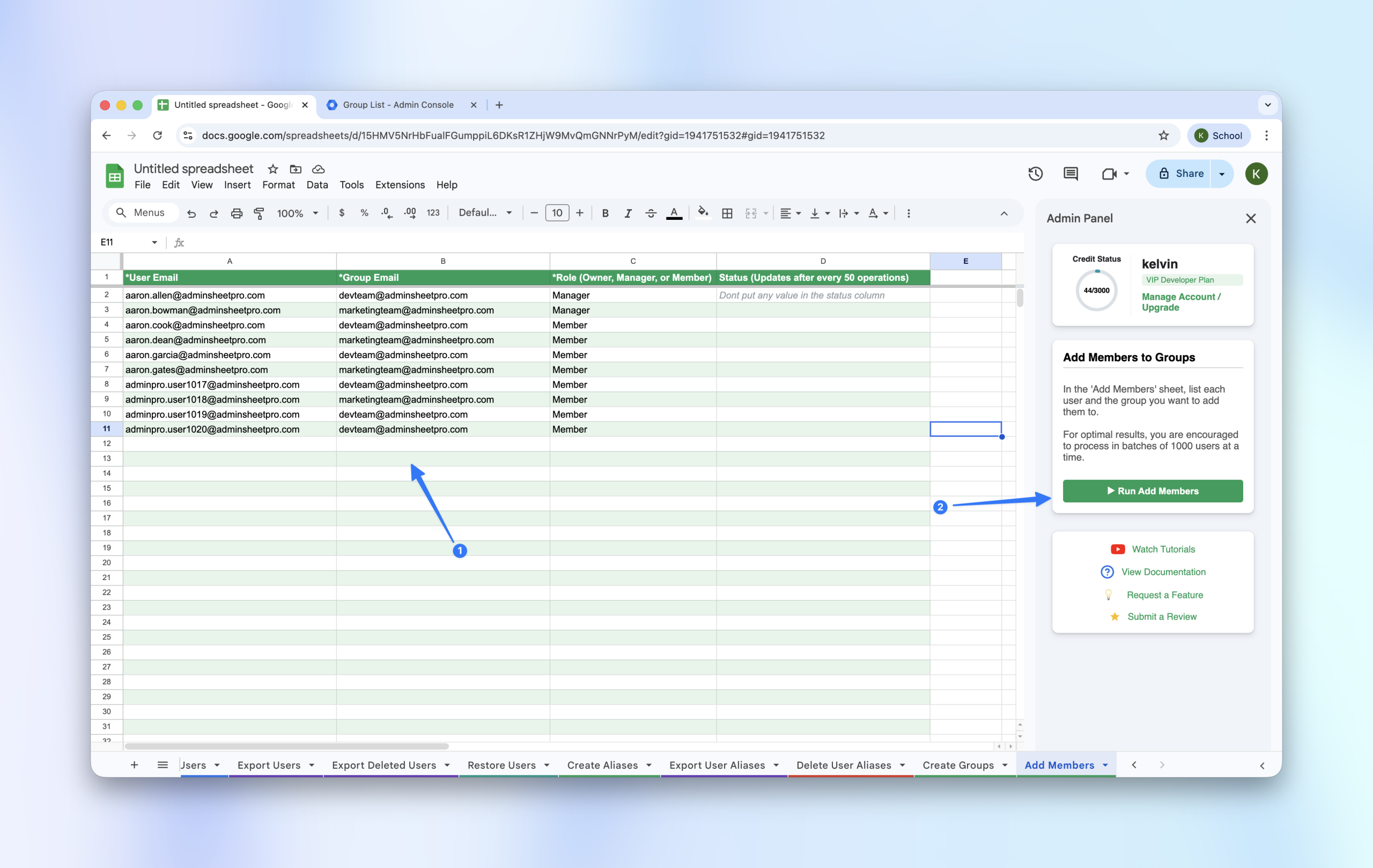
Step 3: Run the Process
- Click “Run Add Members” in the sidebar.
- The tool will update the status of each membership request in real-time.