



If you’ve spent any time in the Google Workspace admin community (especially on r/gsuite or r/k12sysadmin), you’ve heard of GAM. It is often referred to as the “Gold Standard”—a free, open-source command-line tool that can do almost anything.
However, there’s a reason why, despite GAM being free, many admins who previously used Ok Goldy are now opting for AdminSheet Pro.
The choice between a Command Line Interface (CLI) and a Spreadsheet-as-Interface (SAL) isn’t just about technical skill; it’s about risk, speed, and visibility. Let’s break down which tool belongs in your arsenal.
The Powerhouse: What is GAM?
GAM (Google Apps Manager) is a Swiss Army knife. Because it interacts directly with Google’s Admin SDK via the terminal, there is no “UI lag” and no cost. For a “hardcore” sysadmin managing 50,000 users, GAM is an absolute necessity for building complex, automated scripts.
The Pros of GAM:
- Zero Cost: It’s open-source and free forever.
- Total Power: If the Google API allows it, GAM can do it.
- Automation: Perfect for cron jobs and server-side automation.
The Barrier: Why Admins Seek Alternatives
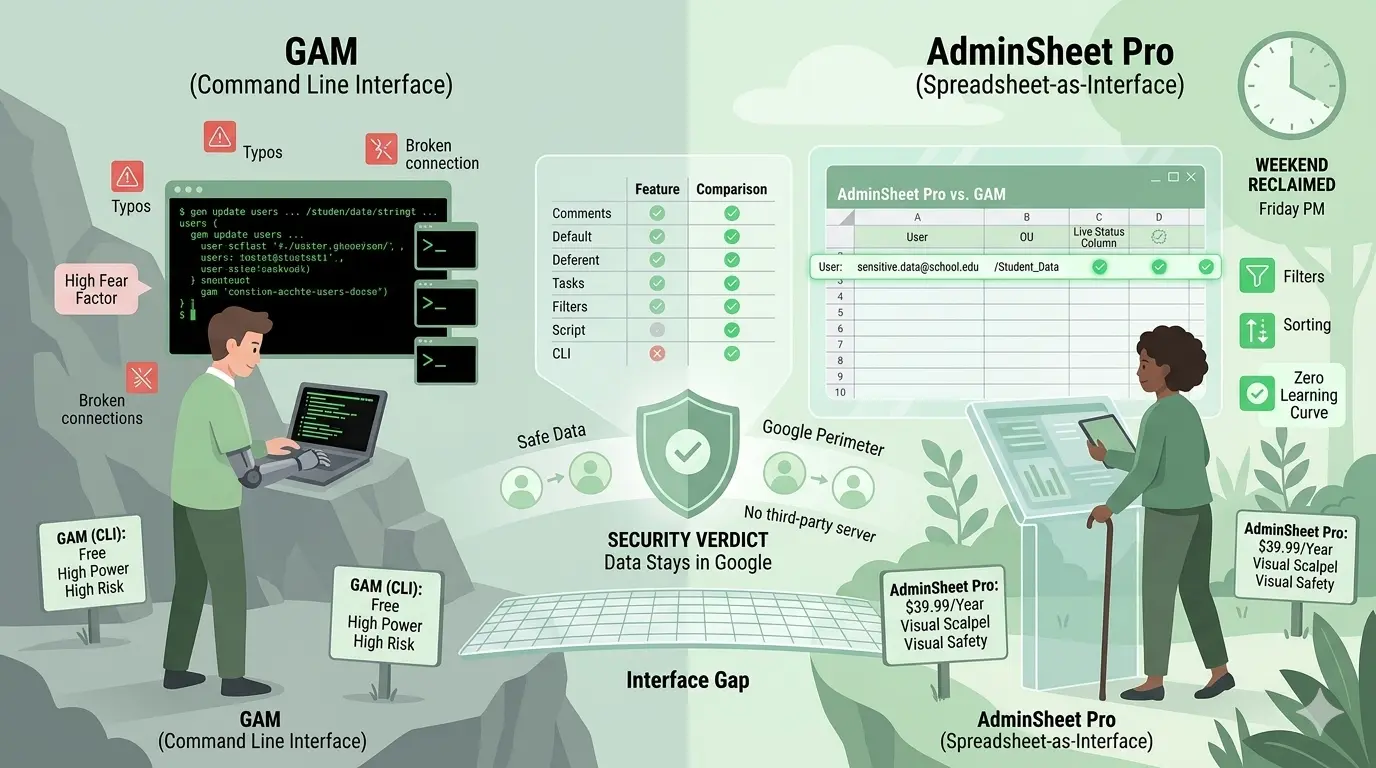
Despite its power, GAM has what we call a “High Fear Factor.” For the “Accidental Admin”, the principal at a school, the operations manager at a startup, or the IT lead at an NGO, GAM can feel like a liability.
- The “One-Typo” Risk: In a terminal, one stray character in a command like gam update users can accidentally suspend an entire Organisational Unit. There is no “Undo” button and no visual confirmation before you hit Enter.
- The Learning Curve: Setting up GAM requires creating Google Cloud Projects, managing JSON keys, and mastering a complex syntax. For many, the time spent learning GAM is time they could have spent actually managing their domain.
- The Visibility Gap: In a CLI, your data is a “Black Box.” You can’t “see” your users and their attributes in a grid before you commit a change.
The Visual Scalpel: Why AdminSheet Pro?
AdminSheet Pro was designed for the “Visual Thinker.” It offers the same bulk-management power as GAM but layers it over the most intuitive interface ever built: the spreadsheet.
The Pros of AdminSheet Pro:
- Zero Learning Curve: If you can use Google Sheets, you are already an expert.
- Visual Safety: You see exactly which rows you are about to update. You can filter, sort, and use
VLOOKUPto prep your data visually before clicking “Run.” - The “Status Column”: Unlike GAM, where errors are often buried in a text log, AdminSheet Pro gives you row-by-row feedback. If row #50 has a bad email format, you see it instantly while the rest of the job finishes.
Comparison: CLI vs. GUI
| Feature | GAM (CLI) | AdminSheet Pro (Spreadsheet) |
|---|---|---|
| Interface | Terminal / Command Line | Google Sheets |
| Price | Free | $39.99 / Year |
| Risk Level | High (Syntax errors) | Low (Visual confirmation) |
| Setup Time | 30 – 60 Minutes | 1 Minute |
| Support | Community / Forums | Dedicated Email & Pro Support |
| Data Perimeter | Stays in Google | Stays in Google (GAS) |
The Security Verdict: Are They Both Safe?
One common concern among “paranoid” admins is data safety.
- GAM is safe because it runs locally on your machine.
- AdminSheet Pro is equally safe because it is built on Google Apps Script.
Both tools keep your domain data within the “Google Perimeter.” Unlike other third-party web apps that require you to export data to external servers (AWS/Azure), AdminSheet Pro handles your data directly within your own Workspace account. We don’t store your data; we just provide the engine to move it.
Which one should you choose?
- Choose GAM if: You are a senior DevOps engineer managing massive automation pipelines, and you are comfortable living in the terminal.
- Choose AdminSheet Pro if: You are a busy admin who values their time, wants to avoid catastrophic syntax errors, and prefers the visual clarity of a spreadsheet to manage 50 to 5,000 users.
At the end of the day, IT is about reliability. If paying $39.99/year saves you from one “Oops” moment in the terminal, it has already paid for itself.
Ready to ditch the command line and embrace the sheet? Install AdminSheet Pro from the Google Workspace Marketplace today and get your first 100 operations for free.