
We are always sad to see a user go! If you are experiencing technical difficulties, please reach out to us at hello@adminsheetpro.com before uninstalling so we can help resolve your issue.
If you still wish to proceed, you can uninstall AdminSheet Pro directly from Google Sheets™.
Step-by-Step Uninstallation
- Open any Google Sheet™.
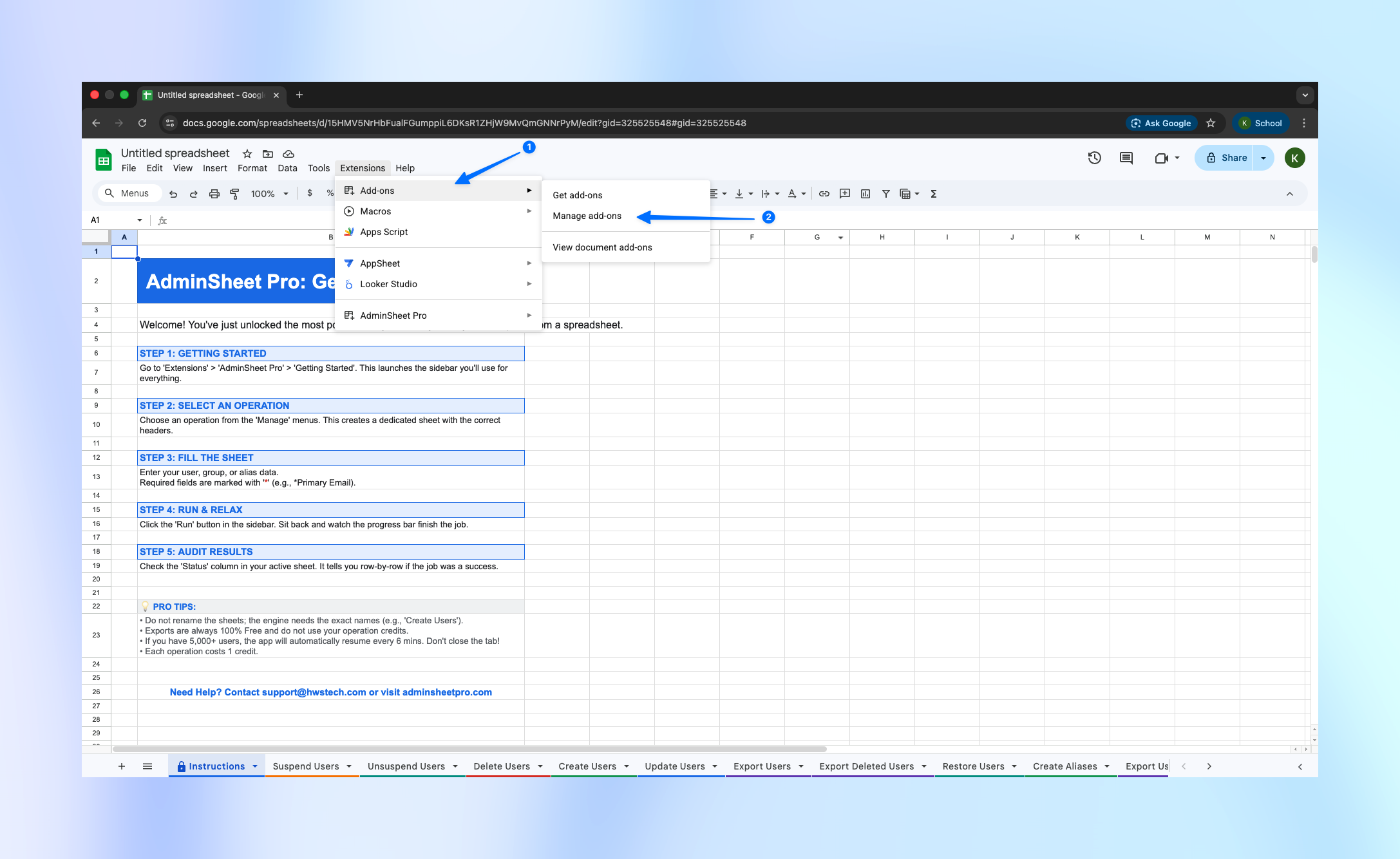
- Navigate to the Extensions menu.
- Hover over Add-ons and select Manage Add-ons.
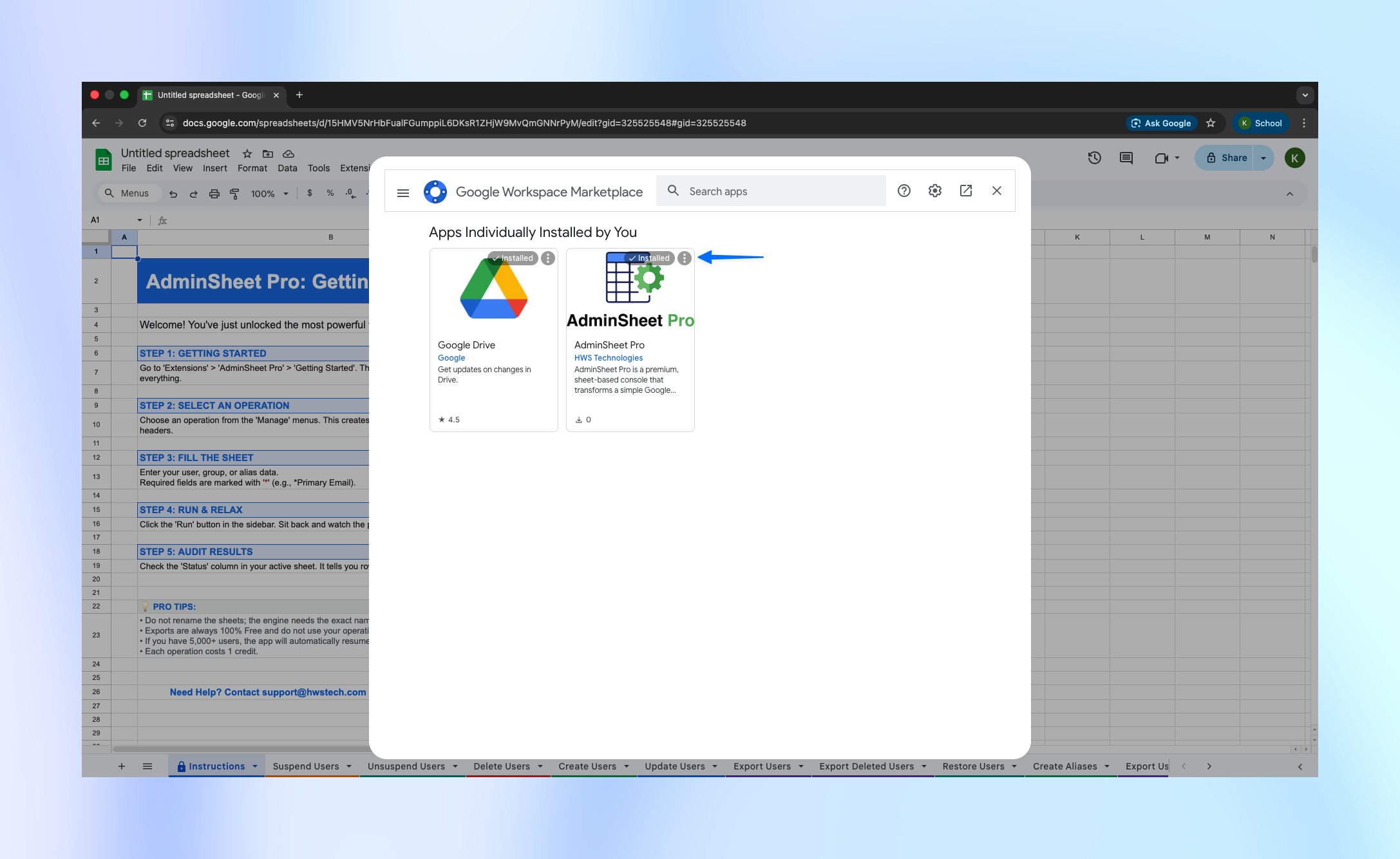
- Find AdminSheet Pro in your list of installed apps.
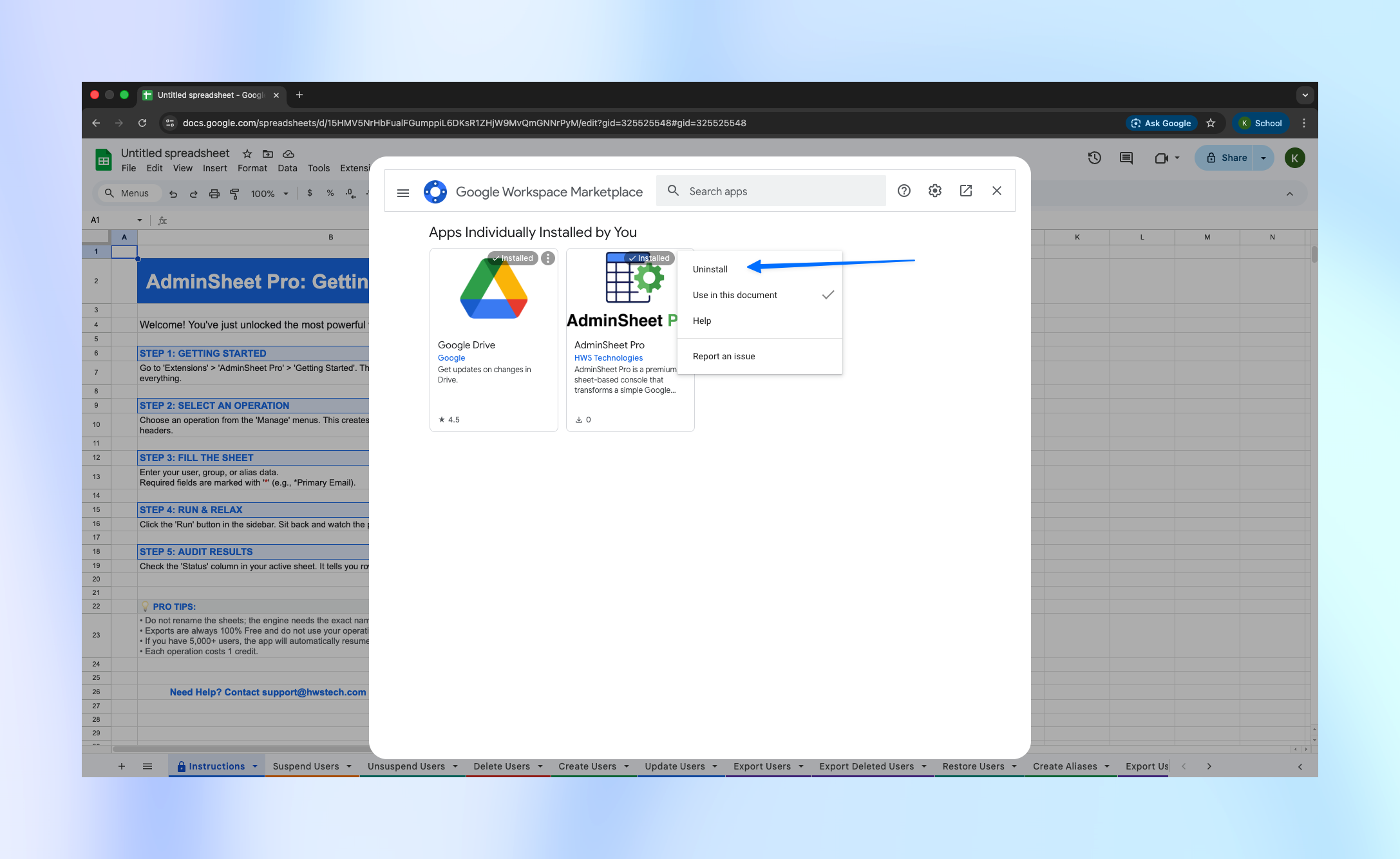
- Click the three dots (Options menu) on the AdminSheet Pro card.
- Select Uninstall.
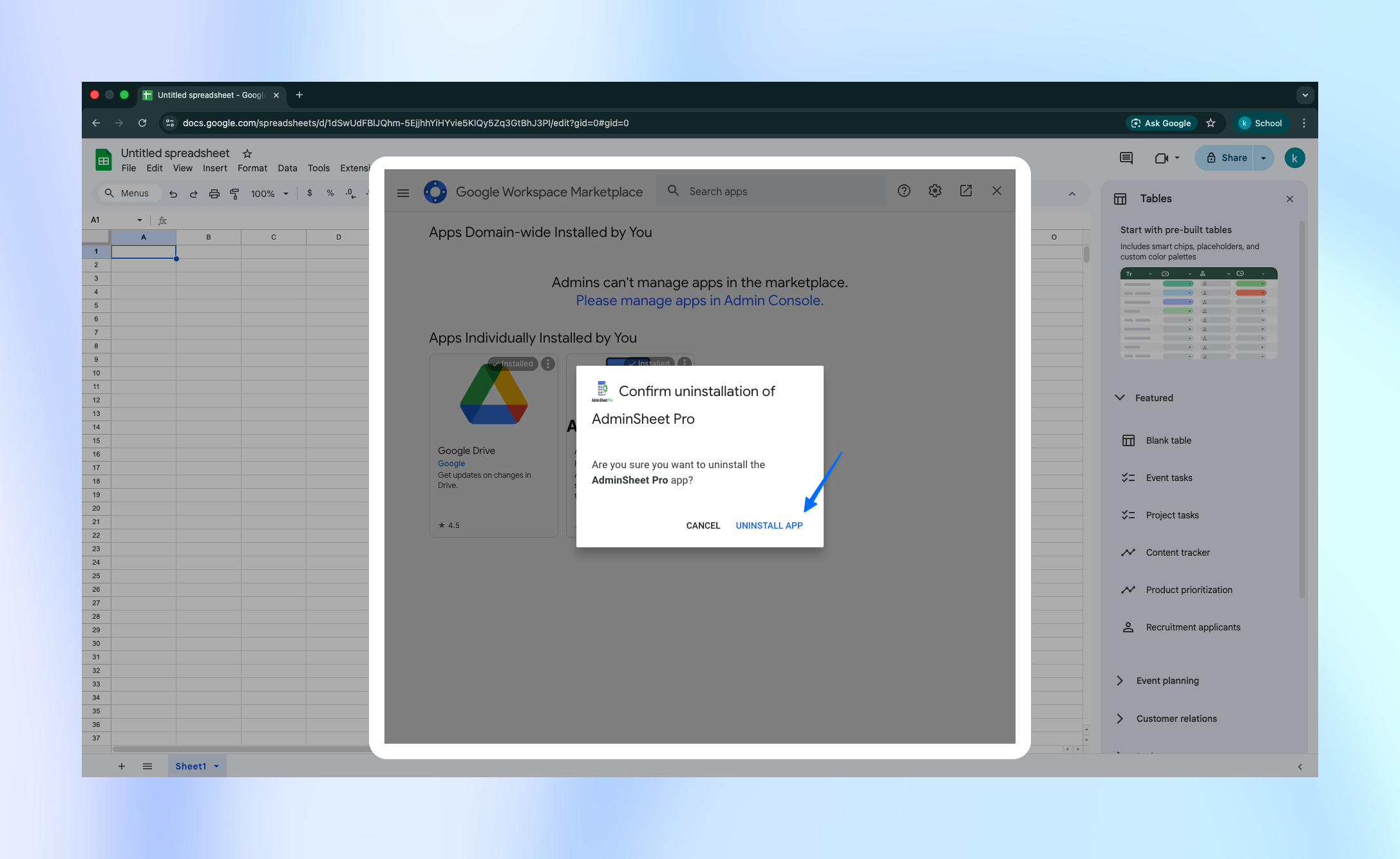
- Confirm the uninstallation in the final pop-up window.
Once uninstalled, the AdminSheet Pro menu will disappear from your Extensions list. You can reinstall the tool at any time via the Google Workspace Marketplace™.