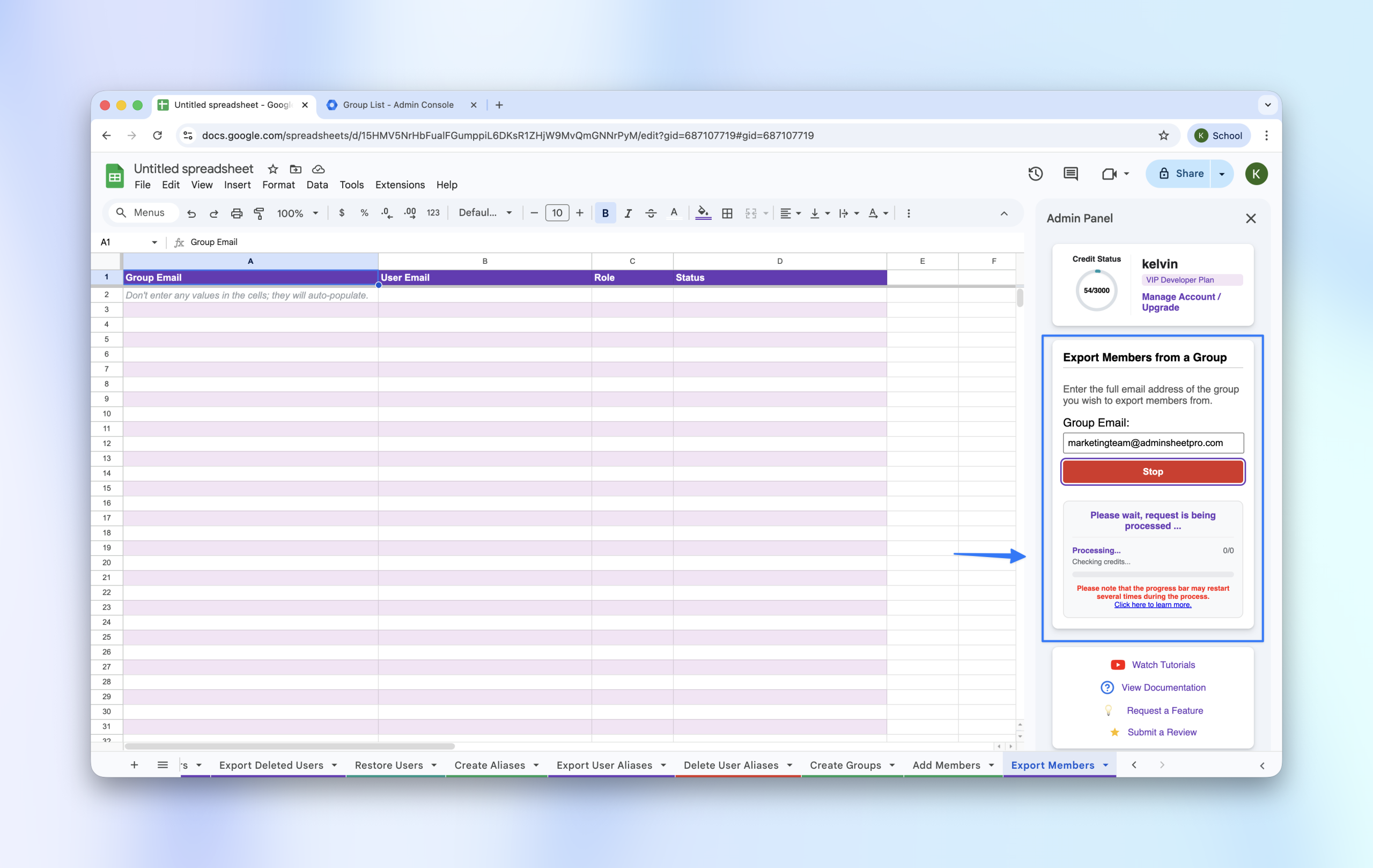
Need to audit who is in a specific group? AdminSheet Pro can export a full list of members for any group in your domain.
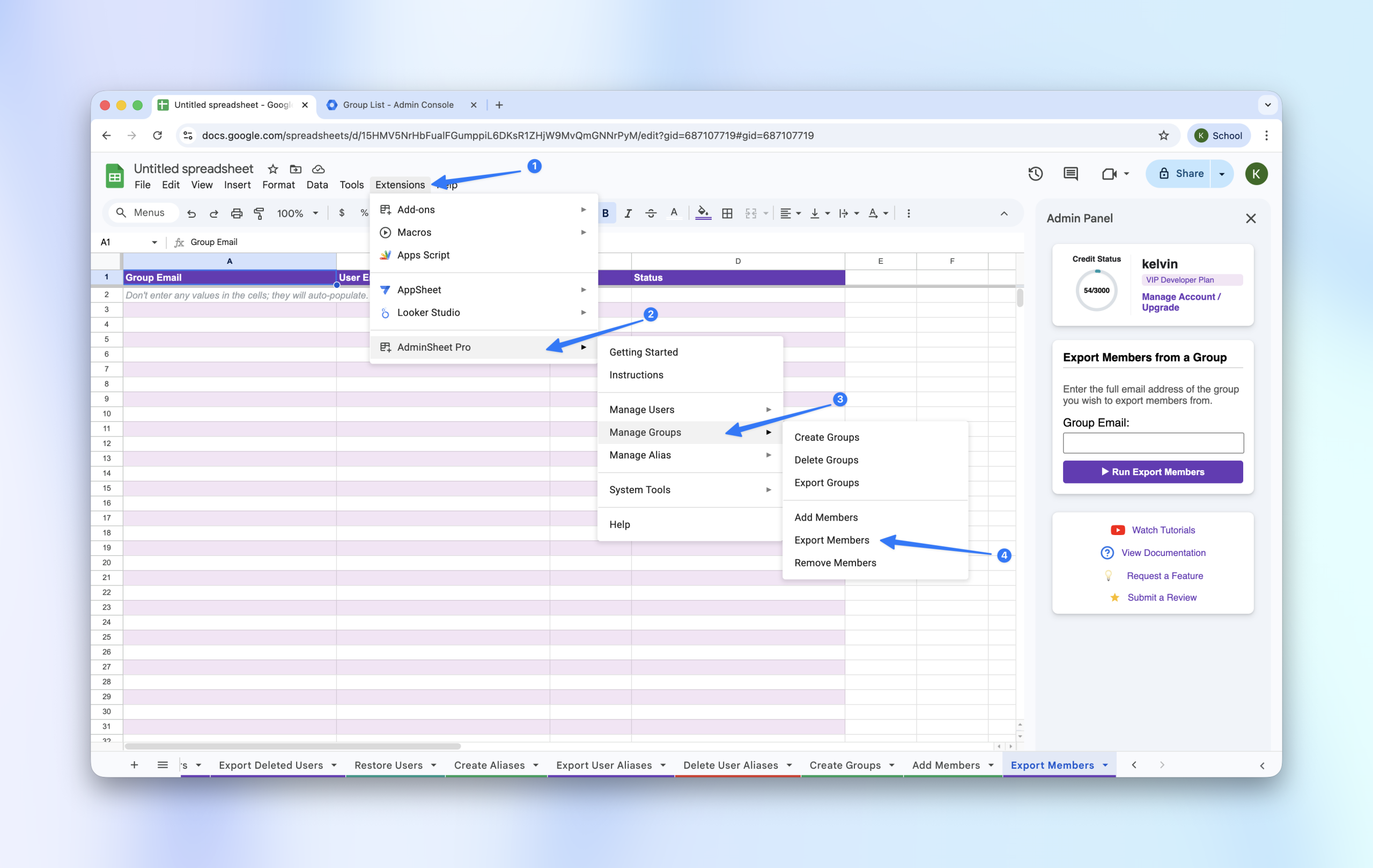
Step 1: Open the Export Tool
- Navigate to Extensions > AdminSheet Pro > Manage Groups.
- Select Export Members.
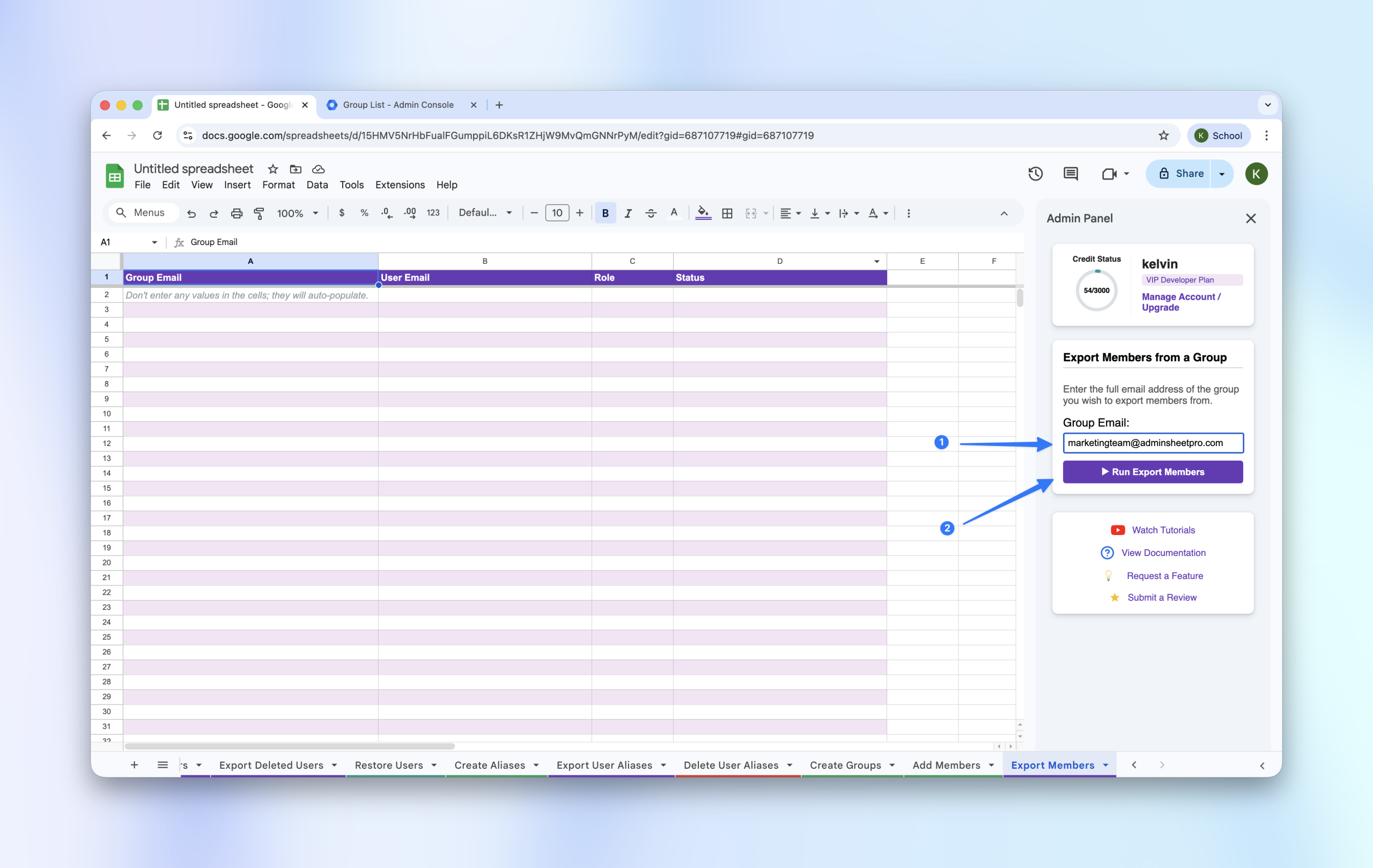
Step 2: Specify the Group
- In the sidebar, enter the Group Email you wish to audit.
- Click “Run Export Members”.
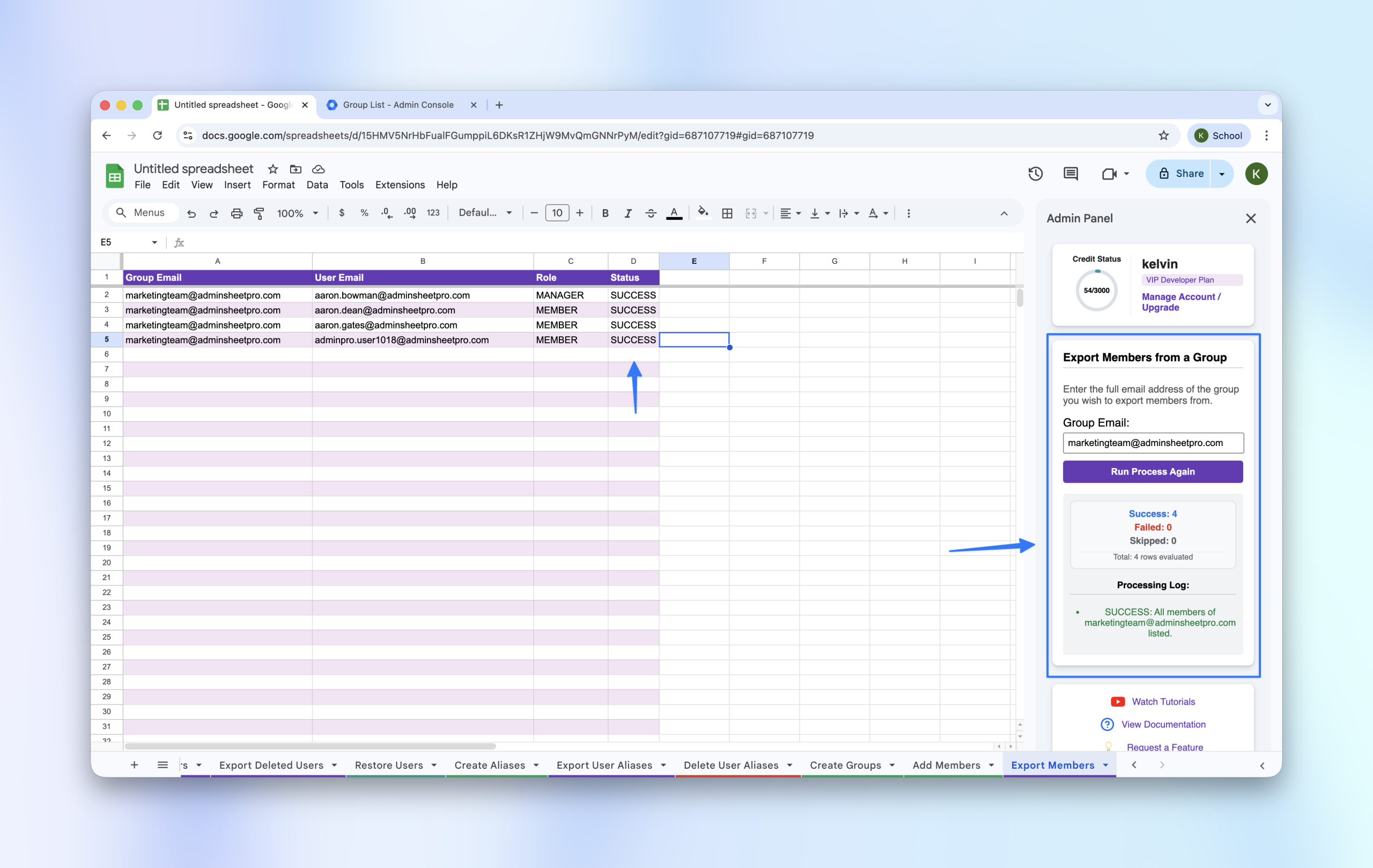
Step 3: Review the List
The sheet will populate with every member of that group, showing their email and their specific role (Owner, Manager, or Member).