When projects end or organizations restructure, you may need to remove multiple groups at once. AdminSheet Pro makes this process safe and efficient. Follow along to bulk delete google groups.
Step 1: Open the Delete Tool
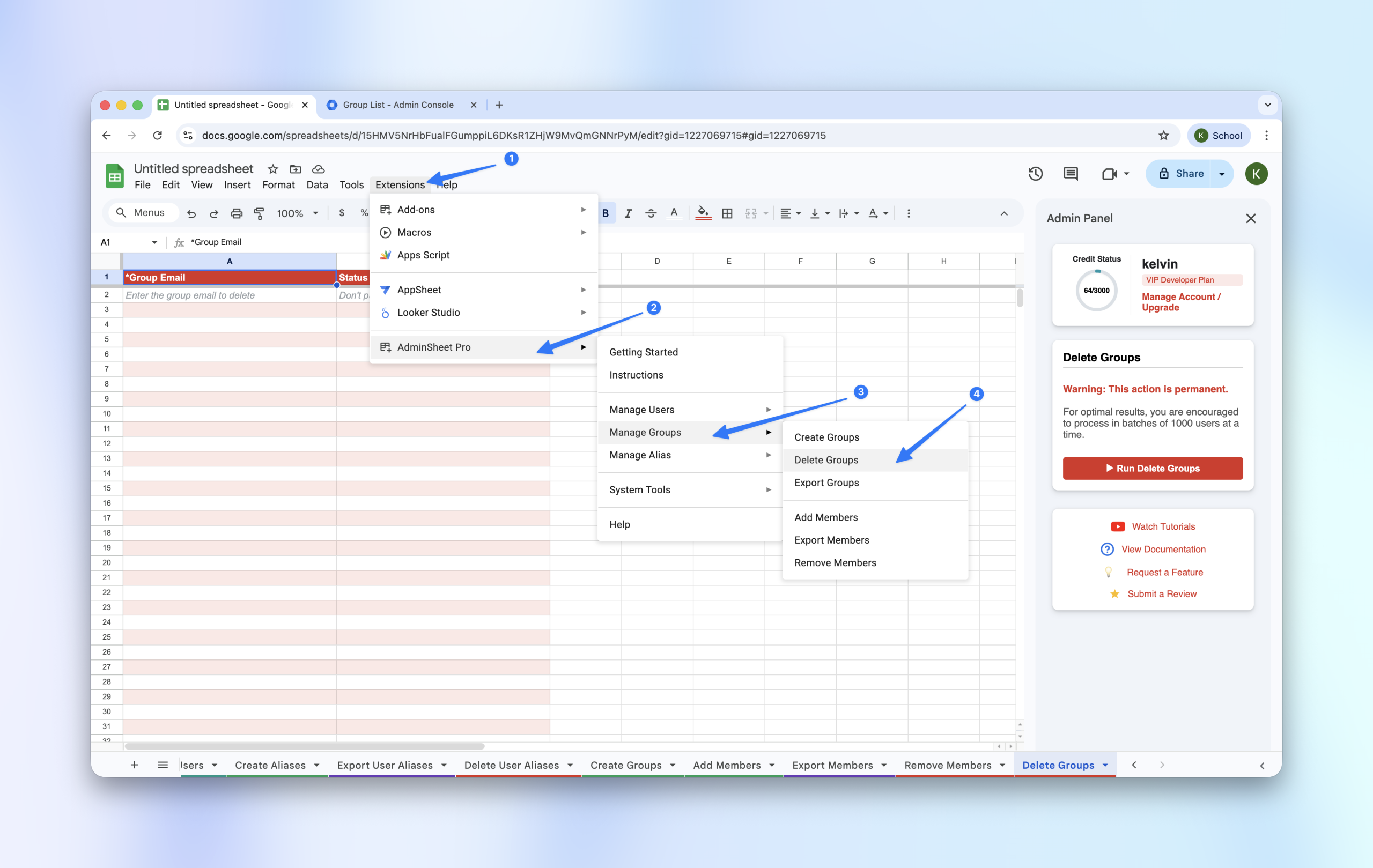
- Navigate to Extensions > AdminSheet Pro > Manage Groups.
- Click on Delete Groups.
Step 2: List the Groups for Deletion
In the Group Email (*) column, paste the email addresses of all the groups you wish to permanently remove.
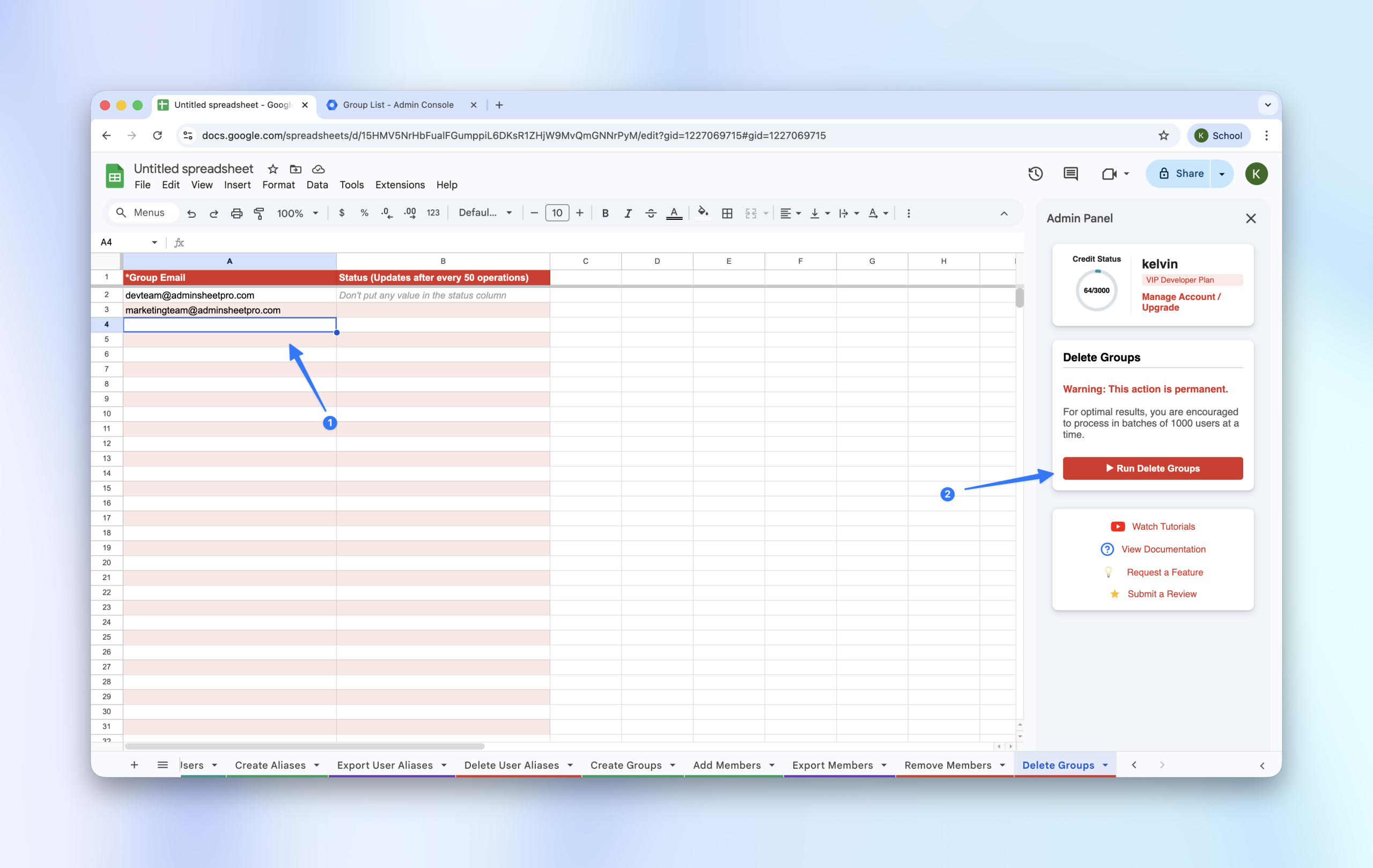
Step 3: Run Deletion
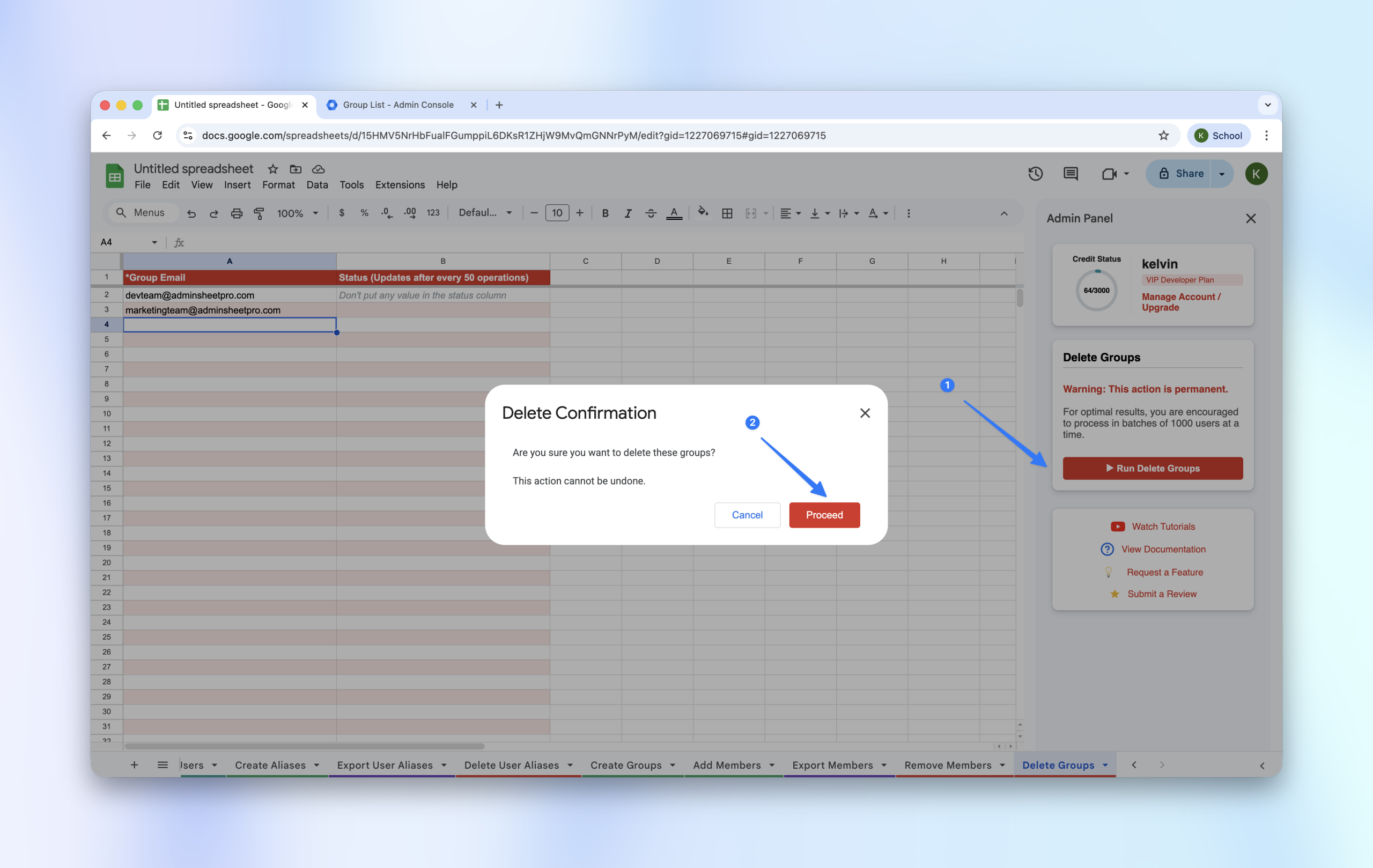
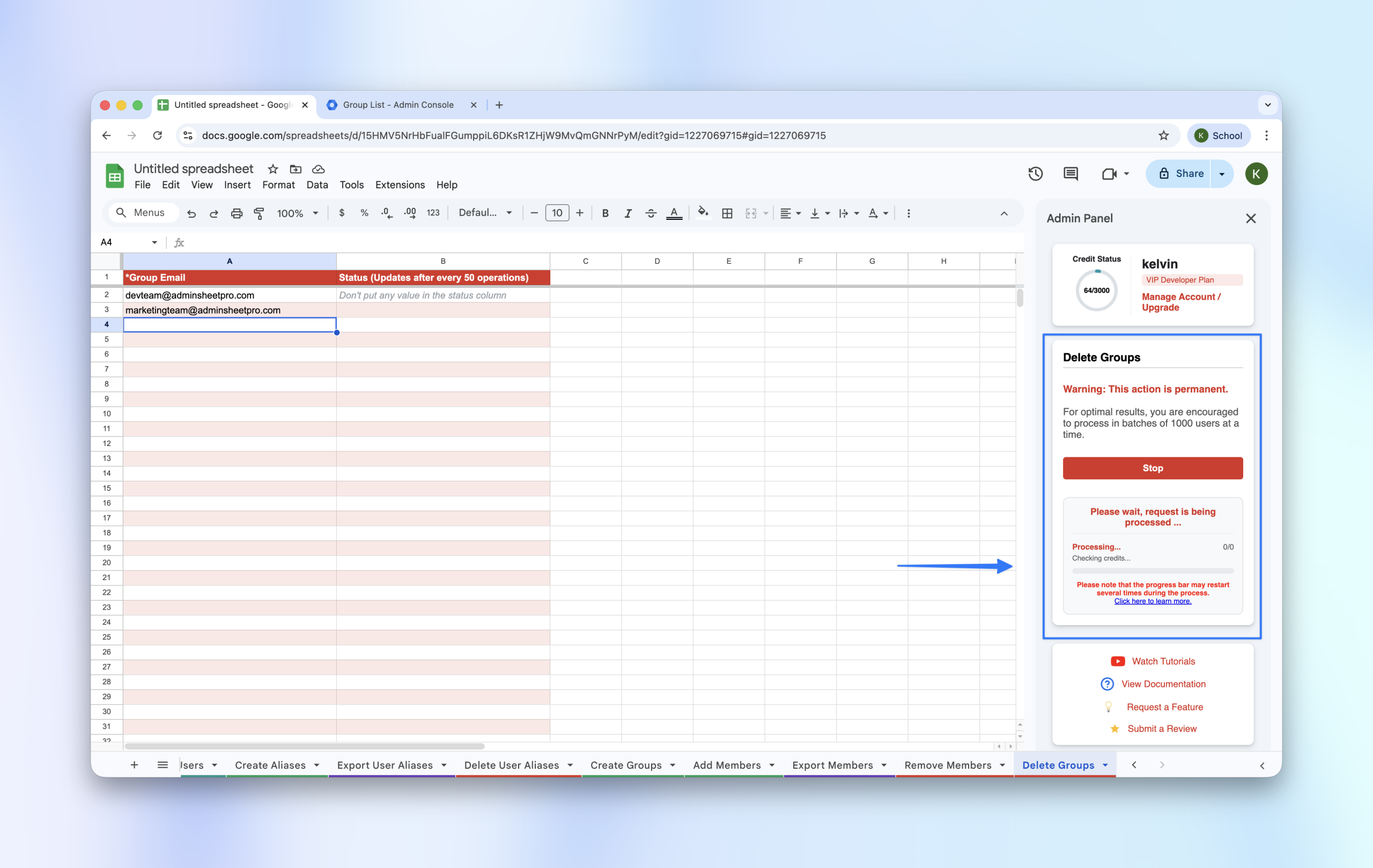
- Click “Run Delete Groups” in the sidebar.
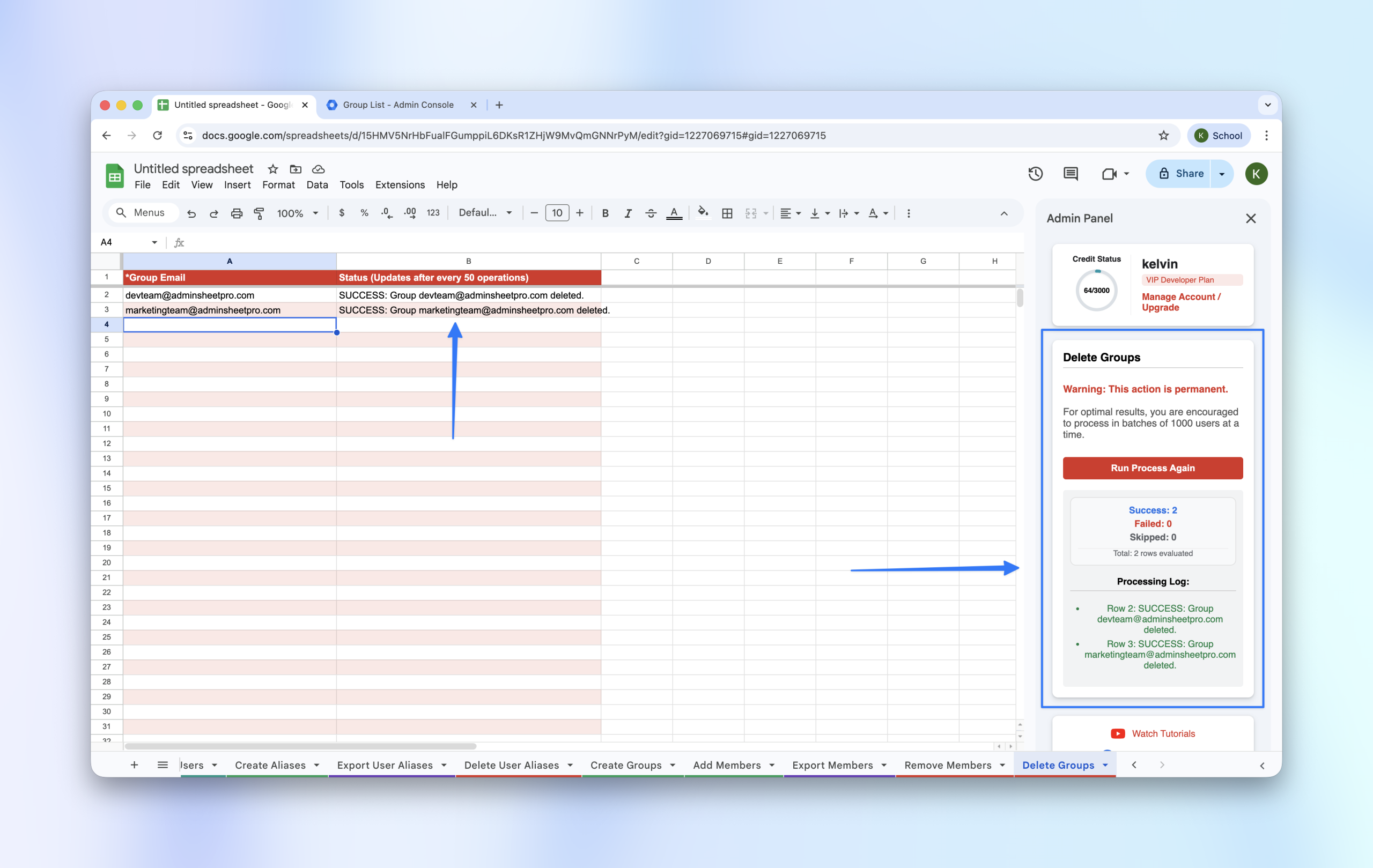
- Wait for the Status column to show
SUCCESSfor each row.