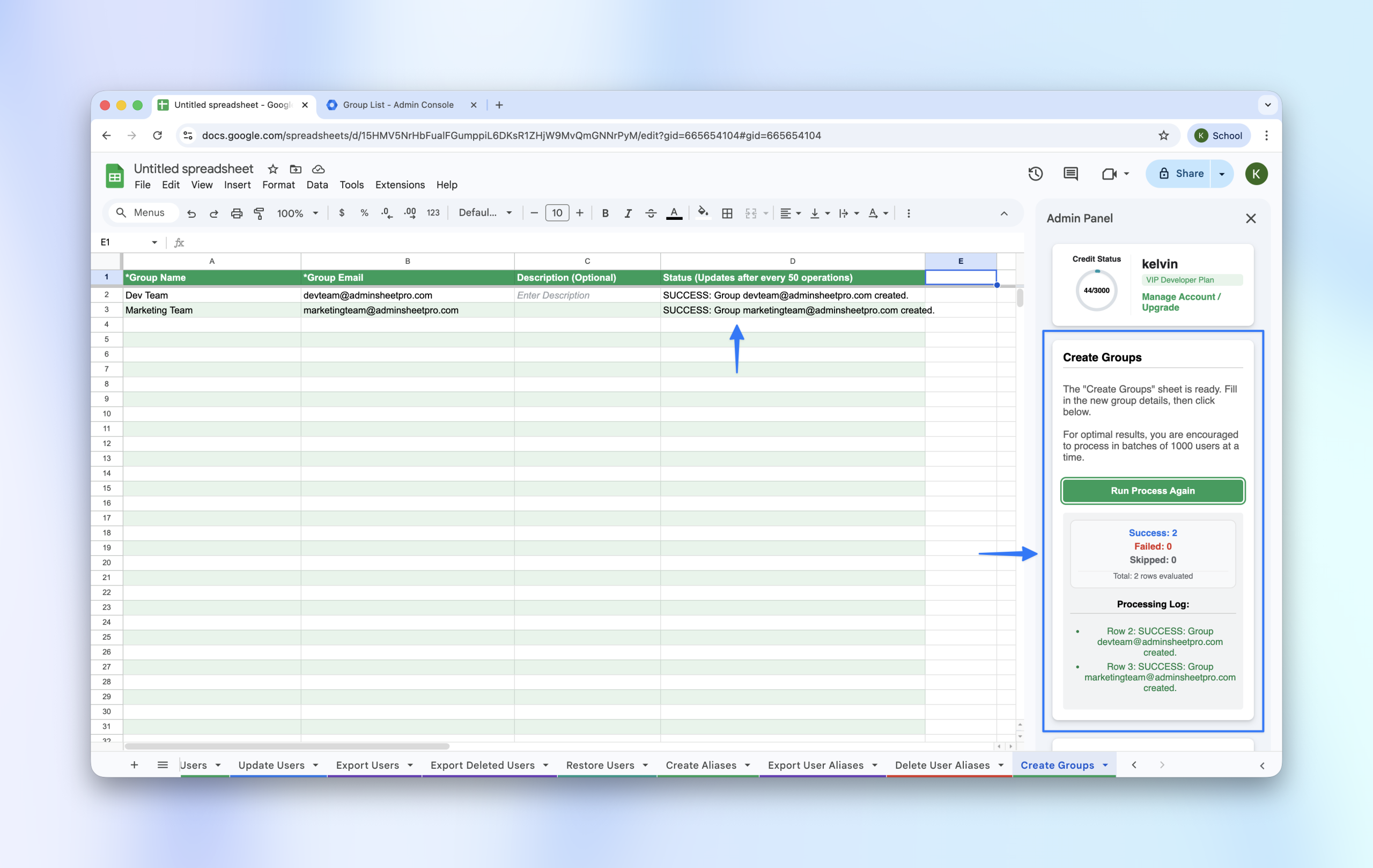
Google Groups are essential for communication and permission management. AdminSheet Pro allows you to create dozens or hundreds of groups in seconds using a simple spreadsheet.
Step 1: Open the Create Groups Tool
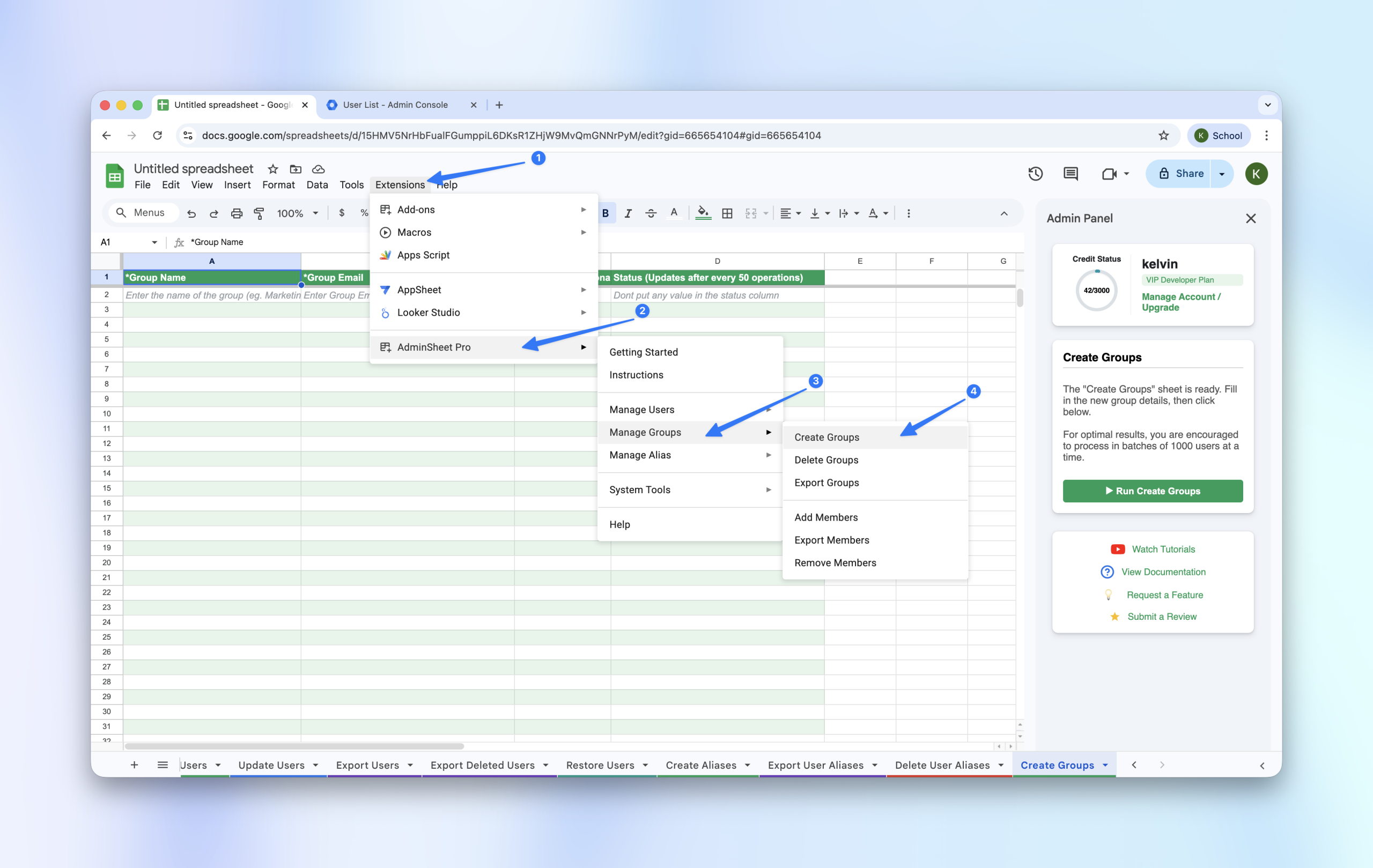
- Go to Extensions > AdminSheet Pro > Manage Groups.
- Select Create Groups.
Step 2: Populate Group Details
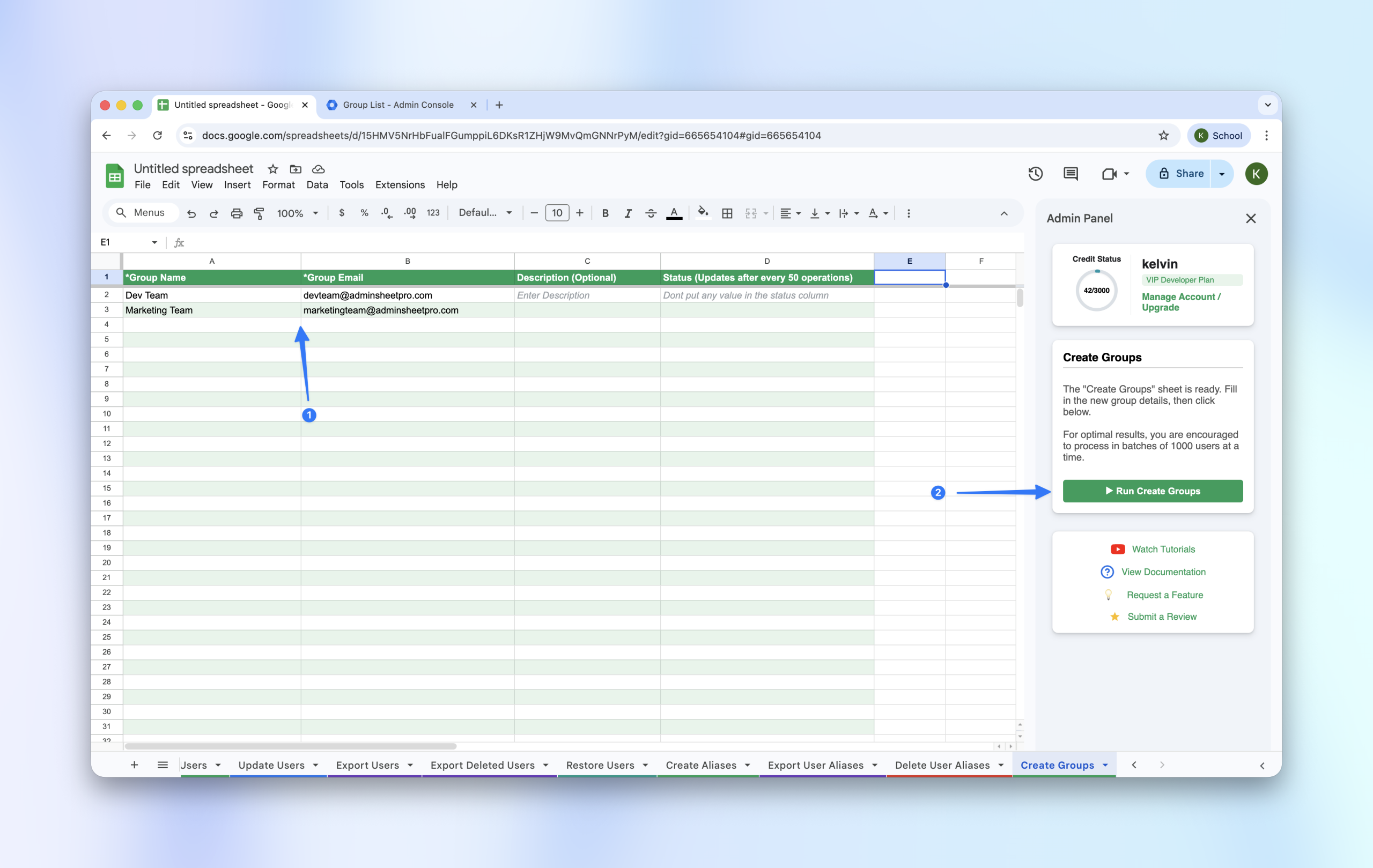
Fill in the required information for the groups you want to create:
- Group Name (*): The display name of the group.
- Group Email (*): The email address for the group (e.g., info@yourdomain.com).
- Description: (Optional) A brief note about the group’s purpose.
Step 3: Run the Operation
- In the sidebar, click “Run Create Groups”.
- The tool will create the groups and log the results in the Status column.